Use Instagram’s official recovery paths first, and do not try to bypass another person’s block or privacy settings. “Getting unblocked” can mean three very different things: your account is locked, Instagram has limited your actions, or another user has blocked you. Each case has a different answer. The safe route is to recover access, appeal restrictions, or contact support through approved channels.
TLDR: If Instagram locked or disabled your account, use the app’s appeal, password reset, identity check, or hacked account flow. If one person blocked you, there is no legitimate tool that can force access to their profile; for example, a creator with 18,000 followers may still block one viewer, and Instagram will treat that as a privacy choice. If your likes, follows, or comments are blocked, wait 24 to 72 hours and reduce activity. Keep screenshots, dates, usernames, and email notices because support decisions often depend on clean evidence.
First, identify what “blocked” means
Before you send forms or panic-delete the app, work out what type of block you are dealing with. Instagram uses similar messages for very different problems. That can be annoying. Honestly, it feels like two extra screens could save users hours of guessing.
- Account lockout: You cannot log in because of a forgotten password, suspicious login, two-factor issue, or hacked account.
- Disabled account: Instagram says your account was disabled for breaking rules.
- Action block: You can log in, but cannot like, follow, comment, message, or post.
- User block: A specific person’s profile, posts, comments, or messages disappear for you.
- Privacy limit: A private account has not approved your follow request, or has removed you as a follower.

Account recovery: when your own account is locked
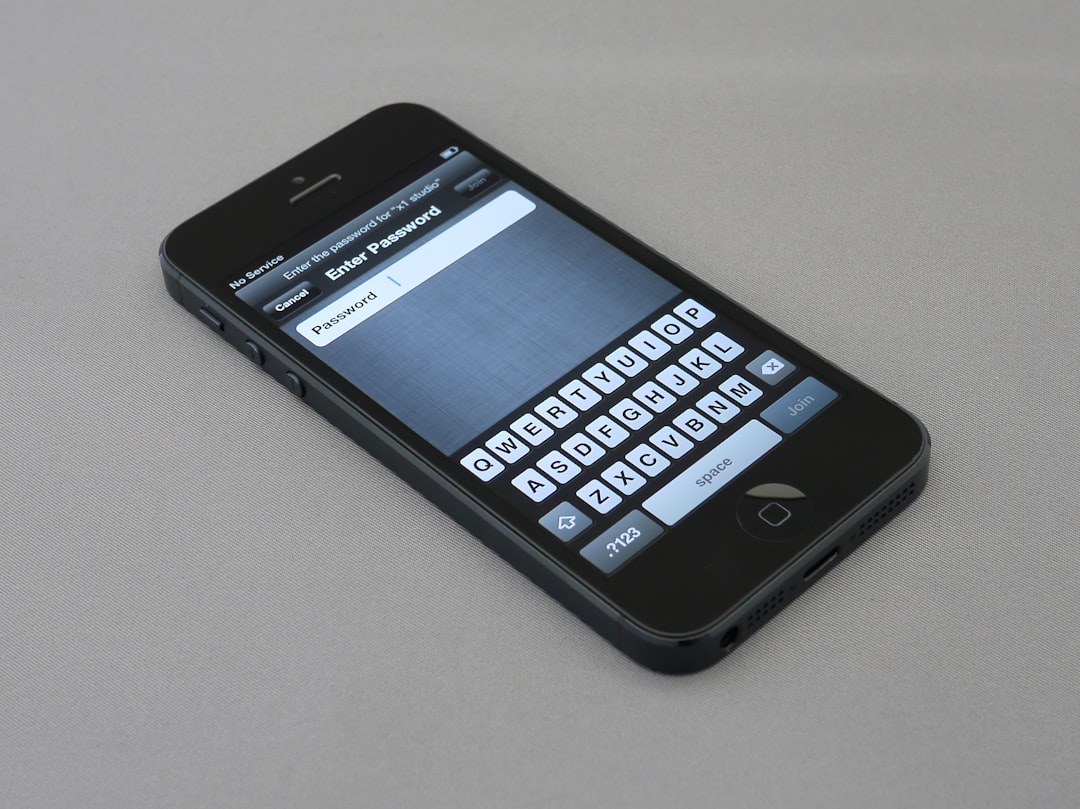
If you cannot access your Instagram account, start with the login screen. Tap Forgot password?, Get help logging in, or Can’t reset your password?, depending on your device and app version. Use the email, phone number, or username tied to the account.
If you believe the account was hacked, go to Instagram’s hacked account flow. You may be asked to confirm your email, phone number, previous password, device, or identity. Some users must submit a video selfie. This is not a glamour test. It is a security check to match you with photos already on the account.
Do these steps carefully:
- Use a trusted device. Try the phone or browser you used before the problem started.
- Check your email. Search for messages from Instagram about email changes, password resets, or suspicious logins.
- Secure your email account first. If your email is compromised, Instagram recovery may fail again.
- Reset your password. Pick a new one that is not used on any other service.
- Turn on two-factor authentication. Use an authenticator app if possible.
Expect to waste time on repeated codes if your phone number is outdated. Do not keep requesting codes every few seconds. That can trigger more security checks. Wait a few minutes, then try again.
Appealing a disabled Instagram account
If Instagram disabled your account, you need an appeal, not a password reset. The app often shows a button such as Appeal, Disagree with decision, or Request review. Use that first. It is usually better than random forms found through search results.
Your appeal should be short and factual. Do not insult the reviewer. Do not send ten appeals in one hour. State that you believe the account was disabled by mistake, give the username, and explain what happened. If your account is for a business, creator work, school group, or nonprofit, mention that clearly.
A serious appeal might say:
“Hello, my account @example was disabled on March 4. I believe this was an error. I have reviewed the Community Guidelines and do not believe my recent posts violated them. Please review the account. I can provide identity or business verification if needed.”
Keep copies of all notices. If Instagram rejects the appeal, you may not get unlimited chances. Repeated weak appeals can make the process worse.
Action blocks: why likes, follows, and comments stop working
An action block is common after high-volume behavior. Instagram may limit you if you follow too many accounts, unfollow in bulk, repeat the same comment, send many direct messages, or use automation tools. Even innocent users get caught. That is frustrating, especially when a normal comment takes ten seconds and then fails with a vague warning.
For action blocks, the best fix is usually restraint:
- Stop liking, following, commenting, and messaging for 24 to 72 hours.
- Remove third-party automation apps from your Instagram settings.
- Do not use bots, mass unfollow tools, or growth services.
- Switch from public Wi-Fi or VPNs if they trigger suspicious activity checks.
- Update the app and log out, then log back in after waiting.
If your account has real business value, document the issue with screenshots. Include the exact error message and time. If the block lasts more than a week, report a problem through the app.
When another user blocked you
If another person blocked you, Instagram will not help you undo it. That user has the right to limit contact. You may not see their profile, posts, stories, comments, or message thread. Searching from your account may show nothing, while a friend can still see the profile. That usually means a user block, not an account ban.
Do not create fake accounts to watch them. Do not use viewer websites that claim to show private posts. Many are scams. Some ask for your login, then steal the account. Others collect personal data or push malware. More importantly, trying to get around someone’s block can cross legal, workplace, or school policy lines.
If the block was a misunderstanding, use a respectful route outside Instagram only if appropriate. For example, a short email may be acceptable for a business dispute. Keep it calm. One message is enough. If there is no reply, stop.
Privacy boundaries matter
Instagram privacy settings exist for a reason. A private account owner can approve, deny, remove, restrict, mute, or block followers. These controls are not bugs. They are user choices.
There is no ethical “unblock app” that can override those choices. Any service promising to reveal private photos, bypass blocks, or restore access without verification should be treated as unsafe. If it asks for your Instagram password, walk away.
For parents, employers, and teams, the same rule applies. Use consent-based tools, account roles, and shared login policies. Do not spy on someone’s private account or pressure support staff to disclose user data.
Support alternatives that are safer
Instagram support can feel thin, especially for personal accounts. Still, there are safer options than shady recovery sites.
- Instagram Help Center: Use it for hacked accounts, login trouble, disabled accounts, impersonation, and privacy reports.
- In-app reporting: Go to Settings and privacy, then Help, then Report a problem.
- Meta Account Center: Check connected Facebook and Instagram accounts, passwords, and security alerts.
- Meta Verified support: Paid verified users may receive extra support options in some regions.
- Business support: Accounts with ad spend or commerce tools may see support options inside Meta Business Suite.
- Legal and safety forms: Use official forms for impersonation, harassment, copyright, trademark, or underage account issues.

What to prepare before contacting support
Good records raise your chances of a useful response. Gather the basics before you submit anything.
- Your Instagram username and display name.
- The email and phone number linked to the account.
- The date the issue started.
- Screenshots of warnings, emails, and failed login pages.
- Proof of identity, if requested by Instagram.
- Business documents, if the account represents a company.
Keep your message clear. Support teams do not need a long emotional history. They need facts they can verify.
How to prevent future blocks and lockouts
Prevention is much easier than recovery. Use a unique password and two-factor authentication. Save backup codes. Keep your email and phone number current. Review login activity once a month. Remove apps you do not recognize.
Stay within normal use patterns. Do not follow hundreds of accounts in a short session. Do not paste the same comment across many posts. Avoid cheap growth tools. They may work for a week, then leave you locked out of an account you spent years building.
Getting unblocked on Instagram is really about using the right path for the right problem. Recover your own account through official tools. Appeal restrictions with facts. Respect another person’s block. If support is slow, stay patient and keep records. Shortcuts can cost you the account.