DaVinci Resolve Studio is the best professional video editor for most high-end work in 2026. It gives you serious editing, world-class color, Fairlight audio, Fusion effects, and strong delivery tools in one app. Adobe Premiere Pro is still the best pick for teams tied to After Effects, Photoshop, and agency workflows.
TLDR: Pick DaVinci Resolve Studio if you want one powerful tool for editing, color, audio, and finishing. Pick Premiere Pro if your team lives inside Adobe apps. For example, a small studio producing 40 social ads per month may save 15% to 25% of finishing time in Resolve because color, audio, and exports stay in one place. Use Avid Media Composer if you edit long films, TV shows, or studio projects with huge teams.
Best Professional Video Editing Software 2026
Professional video editing is not just cutting clips anymore. You need color tools. You need clean audio. You need captions. You need effects. You need fast exports. And yes, you need the app to not crash five minutes before client review.
Here are the leading professional video editors for advanced work in 2026.
- DaVinci Resolve Studio — best all-in-one choice.
- Adobe Premiere Pro — best for Adobe teams.
- Final Cut Pro — best for Mac speed.
- Avid Media Composer — best for film and TV teams.
- VEGAS Pro — best for fast solo editing.
- Lightworks — best for classic editorial control.
1. DaVinci Resolve Studio
Best for: high-end finishing, color grading, audio, effects, and team projects.
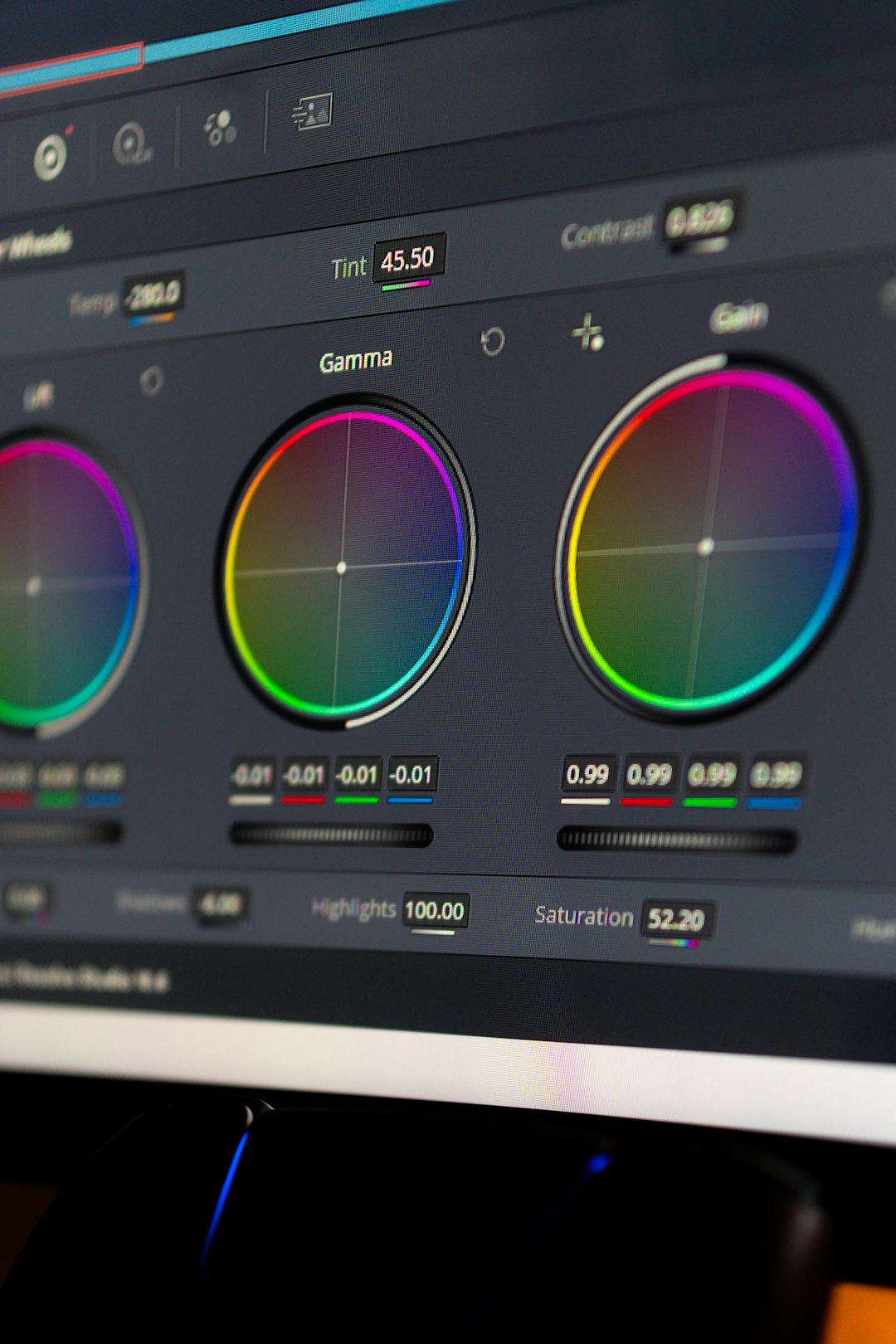
DaVinci Resolve Studio feels like a full post-production house in one app. The Edit page handles normal cutting. The Cut page is fast for quick work. The Color page is still the king. The Fairlight page gives you real audio mixing. Fusion handles effects and motion graphics.
That sounds like a lot. It is. But it is also the reason Resolve is so strong. You do not need to send a project to five different apps just to finish a video.
Why pros like it:
- Industry-leading color tools.
- Great HDR support.
- Strong audio tools built in.
- Good multi-user collaboration.
- One-time Studio license fee.
What gets annoying: Fusion can feel stiff at first. Simple motion work may take longer than expected. Honestly, it feels like you need a small map just to make a clean animated lower third when you are new.
Best use case: commercials, music videos, documentaries, YouTube channels, short films, and full post-production pipelines.
2. Adobe Premiere Pro
Best for: agencies, content teams, YouTubers, and editors who use After Effects.
Premiere Pro remains a professional favorite because it works well with the Adobe family. You can send shots to After Effects. You can pull graphics from Photoshop. You can clean audio in Adobe Audition. It fits many creative teams like an old hoodie. Not perfect, but familiar.
The timeline is flexible. The workflow is easy to learn. Captions are strong. Social video exports are simple. AI tools also help with speech, reframing, rough cuts, and text-based editing.
Why pros like it:
- Great Adobe app integration.
- Strong text-based editing.
- Good caption and social tools.
- Huge plugin support.
- Easy for freelancers to share projects.
What gets annoying: performance can still be moody. One update may feel smooth. The next one may add weird timeline lag. It drives me crazy that a simple 4K multicam edit can feel different after an update.
Best use case: ads, branded content, social campaigns, creator channels, and quick agency work.

3. Final Cut Pro
Best for: Mac users who want speed and clean editing.
Final Cut Pro is fast. Very fast. On Apple silicon Macs, it often feels lighter than the competition. The magnetic timeline is the big love-it-or-hate-it feature. Some editors adore it. Others want to throw a keyboard across the room.
For solo editors, Final Cut Pro can be a joy. Organizing footage is simple. Background rendering helps. Exports are quick. It is great for documentary clips, social videos, events, courses, and YouTube work.
Why pros like it:
- Excellent speed on Mac.
- Clean media organization.
- Fast exports.
- Simple color and audio tools.
- One-time purchase.
What gets annoying: collaboration is not as strong as Avid or Resolve. Advanced finishing may require plugins or round trips. Also, the magnetic timeline is brilliant until it does something you did not ask for.
Best use case: solo editors, Mac-based creators, event videographers, educators, and fast-turnaround teams.
4. Avid Media Composer
Best for: feature films, scripted TV, newsrooms, and large editorial teams.
Avid Media Composer is not the flashiest tool. It does not try to be cute. It is built for big work, long timelines, shared storage, assistant editors, and strict media control.
If you are cutting a feature film with thousands of clips, Avid still makes sense. Its trimming tools are sharp. Its bin system is trusted. Its project sharing is built for serious teams.
Why pros like it:
- Great for long-form editing.
- Excellent media management.
- Trusted in film and TV.
- Strong collaboration tools.
- Precise trimming.
What gets annoying: the interface can feel old. New users may feel punished for asking simple questions. Expect to waste time learning the Avid way before it starts to click.
Best use case: studio films, network TV, news, reality shows, and big post teams.
5. VEGAS Pro
Best for: fast solo editors who want a simple timeline.
VEGAS Pro has always felt different. It is quick, direct, and friendly for editors who hate extra steps. You can drag, cut, trim, and mix without fighting the interface.
It is not the first pick for giant movie teams. But for solo production, it can move fast. It has good audio roots, decent effects, and a timeline that feels easy to touch.
Why pros like it:
- Fast timeline editing.
- Good audio handling.
- Easy to learn.
- Useful effects tools.
- Good for quick jobs.
What gets annoying: it has less industry pull than Premiere, Resolve, or Avid. Sharing projects with big teams can be harder.
Best use case: online videos, event edits, training videos, podcasts, and solo commercial work.
6. Lightworks
Best for: editors who like traditional cutting tools and lean software.
Lightworks has a long history in professional editing. It is not as common as the big three, but it still has fans. It offers strong trimming, a clean timeline, and solid export tools.
The app is best for editors who care most about cutting. Not flashy templates. Not endless panels. Just editing.
Why pros like it:
- Strong editorial tools.
- Light system feel.
- Good timeline control.
- Simple interface.
What gets annoying: it lacks the full finishing depth of Resolve. Effects and advanced workflows may feel limited.
Best use case: indie projects, interviews, documentaries, and focused editorial work.
Quick Buying Guide
Choose DaVinci Resolve Studio if you want one app for almost everything. It is the best pick for color, finishing, and serious post work.
Choose Premiere Pro if you work with designers, motion artists, and Adobe files all day. It is still the agency standard for many teams.
Choose Final Cut Pro if you are on Mac and want raw speed. It is great when deadlines are rude.
Choose Avid Media Composer if you are working on long-form film or TV with a team. It is built for that world.
Choose VEGAS Pro if you want quick timeline editing without a steep learning curve.
Choose Lightworks if you want old-school editorial control without heavy software bloat.
Final Pick
For 2026, DaVinci Resolve Studio is the strongest professional video editor overall. It gives editors, colorists, sound mixers, and finishing artists serious tools in one place. That matters when deadlines are tight and clients keep asking for “one tiny change.”
Premiere Pro is still the safest choice for Adobe-heavy teams. Final Cut Pro is superb for Mac speed. Avid remains the long-form giant. But if you want the best mix of power, price, and high-end workflow, Resolve Studio is the one to beat.