MockFlow is the better pick for teams that want fast wireframes plus planning, review, and handoff in one place, while Balsamiq is better for solo designers or early-stage teams that want rough, low-pressure sketches. If your goal is speed with structure, MockFlow usually wins. If your goal is pure sketching without visual polish getting in the way, Balsamiq still feels excellent.
TLDR: MockFlow is stronger when wireframing is part of a larger product workflow, especially for teams that need comments, revision history, site maps, and design specs. Balsamiq is faster for rough idea capture because its sketchy style keeps everyone focused on layout rather than colors or pixel polish. For example, a 6-person SaaS team creating 18 onboarding screens may save several review cycles in MockFlow because feedback, pages, and assets stay together. In a simple landing page brainstorm, Balsamiq may get the first usable wireframe done in 20 minutes.
Quick Verdict: Which Tool Should You Choose?
Choose MockFlow if you need a wireframing tool that can grow into a product planning hub. It works well for product managers, UX teams, founders, agencies, and remote teams that need more than a blank canvas.
Choose Balsamiq if you want to sketch ideas quickly and intentionally keep the design rough. Its hand-drawn style is not a gimmick. It helps clients and stakeholders stop nitpicking colors when the real question is, “Does this screen make sense?”
The catch is that both tools claim to be fast, but they are fast in different ways. Balsamiq is fast at starting. MockFlow is fast at organizing, reviewing, and pushing wireframes toward a real product plan.
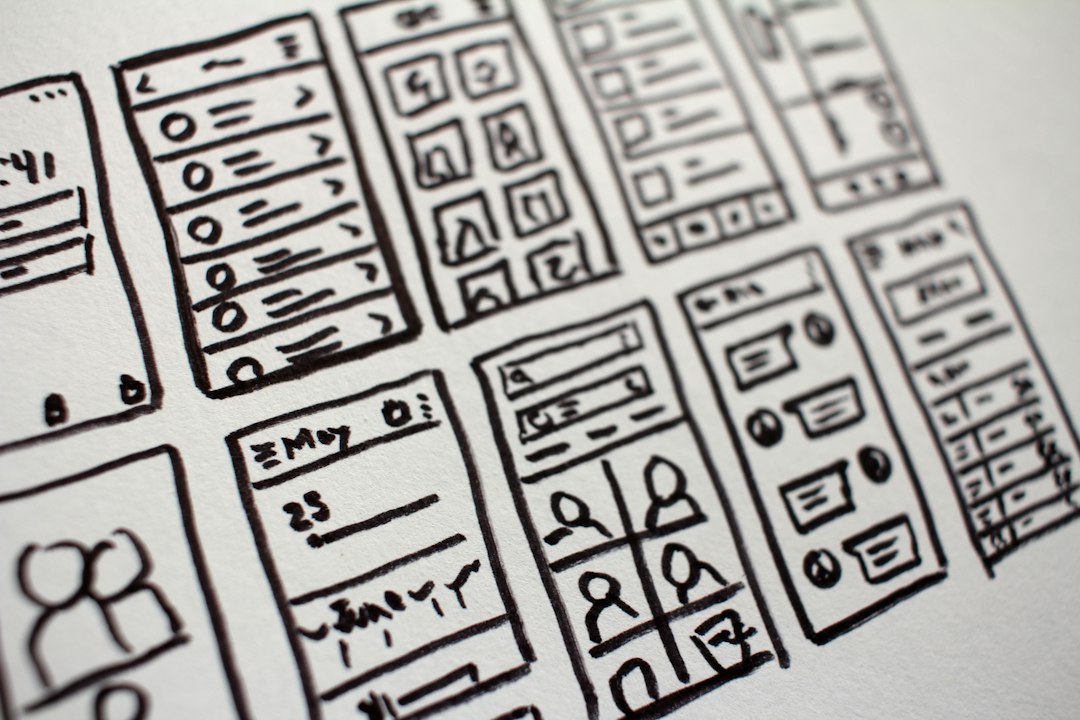
MockFlow: Built for Wireframes That Need a Team Around Them
MockFlow is more than a wireframe editor. Its main value is that it combines wireframing with planning tools such as sitemaps, style guides, product notes, review flows, and collaboration spaces.
That makes it especially useful when a project has many screens. A dashboard, ecommerce app, customer portal, or internal admin tool can get messy fast. MockFlow helps keep those pieces grouped and visible.
Where MockFlow feels strong:
- Project structure: You can group screens, manage pages, and keep versions clear.
- Team comments: Feedback sits close to the design instead of getting lost in chat threads.
- Reusable components: Common UI parts can be reused across screens.
- Planning extras: Site maps and user flows help teams think beyond one screen.
- Handoff support: It is easier to move from idea to more formal product documentation.
MockFlow is not always the prettiest tool. Some parts can feel a little packed with options. Honestly, it feels like a few panels could use more breathing room. But once a project has more than 10 or 15 screens, that structure starts to matter.
Balsamiq: Fast, Rough, and Very Good at Staying Rough
Balsamiq has one of the clearest design philosophies in wireframing: keep it sketchy. Its interface looks like a whiteboard translated into software. Buttons, boxes, menus, and text blocks look hand drawn. That prevents early wireframes from feeling “final.”
This matters because stakeholders often react to the wrong things. They see a polished mockup and start asking why the button is blue. Balsamiq lowers that risk. It strongly signals, “This is an idea, not the finished product.”
Where Balsamiq feels strong:
- Rapid sketching: Drag, drop, label, and move on.
- Low visual pressure: The rough style keeps reviews focused on structure.
- Easy learning curve: Most users can build a basic screen quickly.
- Great for workshops: It works well in early brainstorming sessions.
- Simple component library: Common UI elements are easy to find and use.
Balsamiq’s simplicity is also its limit. Once a project needs richer documentation, design consistency, or multi-step review, you may start stitching things together outside the tool. Expect to waste time copying notes into other apps if your team needs deeper product planning.

Speed: Starting Fast vs Staying Fast
For the first wireframe, Balsamiq often feels quicker. You can place a header, sidebar, form fields, buttons, and placeholder content in minutes. There is very little temptation to style things.
MockFlow can also be quick, but it asks you to think in a more organized way. You may create a project, add pages, group sections, and use libraries. That takes slightly more setup. On a tiny task, that can feel like friction.
On a larger project, the math changes. Imagine a product team building a customer onboarding flow with:
- 12 wireframe screens
- 4 user roles
- 3 review rounds
- 2 product managers
- 1 UX designer
- 3 engineers reviewing feasibility
In that case, MockFlow can reduce confusion because everything has a place. Comments can stay tied to screens. Older versions remain easier to compare. Shared components reduce repeat work. Saving even 8 minutes on each review task can add up to several hours across the project.
Collaboration and Feedback
MockFlow has the edge for collaboration. It feels made for teams that need review cycles, approvals, and shared understanding. Comments, project organization, and related planning tools help prevent messy handoffs.
Balsamiq supports collaboration too, especially in its cloud version. But its sweet spot is still early idea capture. It is less suited to becoming the main workspace for product decisions over several weeks.
If your team reviews wireframes asynchronously, MockFlow is likely safer. If everyone is in the same meeting and simply needs to sketch interface ideas, Balsamiq may be easier and less distracting.
Visual Style and Stakeholder Reactions
Balsamiq wins at controlling expectations. The sketch style tells clients and managers not to obsess over UI detail. That can save meetings from becoming painful.
MockFlow can look cleaner and more structured. This helps when presenting to teams that need something closer to a real app layout. But it can also invite premature feedback. Someone may ask about spacing, button labels, or visual hierarchy before the flow is approved.
The best choice depends on the audience. For executives who need the big picture, Balsamiq’s rough look can be useful. For developers who need clearer screen logic, MockFlow may be more practical.

Component Libraries and Reuse
Both tools include UI components, but they serve different moods.
Balsamiq’s library is simple and broad. You get common controls, icons, containers, browser windows, mobile elements, and form parts. It is designed for quick assembly.
MockFlow gives more room for reusable assets and organized kits. This matters when a product has repeated patterns such as cards, filters, dashboards, tables, and settings pages. Build once, reuse often. That is where MockFlow begins to feel more efficient.
Learning Curve
Balsamiq is easier for beginners. Non-designers can open it and produce something useful without much instruction. That makes it great for founders, business analysts, teachers, and workshop groups.
MockFlow has more features, so it takes longer to understand fully. The basics are still approachable, but the extra tools require a little patience. The upside is that those tools can replace scattered documents, folders, and feedback threads.
Pricing and Value
Pricing can change, so always check the current plans before buying. In general, the value question is not just “Which is cheaper?” The better question is, “Which tool prevents more wasted time?”
If you only create wireframes once a month, Balsamiq may give you everything you need. If wireframing is part of your weekly product process, MockFlow may justify itself by reducing project clutter.
Best Use Cases
Use MockFlow for:
- Product teams managing many screens
- Agencies presenting organized client concepts
- SaaS dashboards and admin tools
- Remote teams needing comments and version control
- Projects that move from wireframe to specification
Use Balsamiq for:
- Early brainstorming
- Workshops and design sprints
- Solo founders testing app ideas
- Simple websites and landing pages
- Teams that want to avoid visual detail too soon
Final Recommendation
Pick MockFlow if your wireframes need to survive beyond the first meeting. It is better for structured projects, team feedback, multi-screen flows, and product documentation. It may take a little more setup, but that effort pays off when the work grows.
Pick Balsamiq if your main job is to get ideas out quickly. It is simple, charming, and very effective at keeping conversations focused on layout. For rough concepts, it remains one of the best tools around.
The practical answer is simple: Balsamiq is the faster sketchpad; MockFlow is the better project workspace. If your team often says, “Where is the latest version?” or “Who approved this screen?” MockFlow will likely save you more headaches. If your team just needs a clear first draft before lunch, Balsamiq is hard to beat.