Imagine you have a giant jigsaw puzzle, but no picture on the box. You’re told to make something beautiful—but you don’t know what! That’s what it can feel like trying to understand project costs without good data.
Enter the Project Design Data Analyst. This superhero uses numbers, charts, and logic to help teams figure out what their project will cost, why, and how to make it more efficient. They’re not just number crunchers—they’re cost detectives!
TL;DR
Project Design Data Analysts take messy project data and turn it into clear cost evaluations. They help teams make better decisions, predict costs more accurately, and avoid wasting money. With smart tools and clean visuals, they turn confusion into clarity. It’s like a GPS for project budgets!
What Is a Project Design Data Analyst?
A Project Design Data Analyst wears many hats. One day, they might be deep in spreadsheets. The next, they’re creating dashboards for managers. Their main job? Making sure every dollar in a project is accounted for and makes sense.
They collect data from architects, engineers, and project managers. Then they organize it, analyze it, and spot patterns. They look at designs and ask, “How much will this cost?” and “Can we do this cheaper without losing quality?”
Their magic trick is breaking down complex data into high-clarity cost evaluations. In simple terms: They make the confusing numbers easy to understand.
Why Clear Cost Evaluations Matter
Nobody likes budget surprises—especially the kind that make you yell, “We’re how much over budget?!” Here’s how a Project Design Data Analyst helps keep projects stress-free:
- Saves money: By spotting waste and suggesting alternatives.
- Builds trust: Teams can see where the money goes.
- Boosts planning: Clear numbers help make smart choices early on.
- Reduces risk: Better predictions mean fewer nasty financial surprises.
Imagine This Scenario…
Your team wants to build a new playground. Fun, right? But wait—what about the cost of rubber mats, safe swing sets, and benches? Not to mention labor costs!
This is where our analyst swoops in. Using previous project data, current market rates, and a few clever tools, they whip up a detailed cost evaluation. You learn your project will cost $80,000. But with a few smart design changes, it could be $65,000.

Now you can present a plan that’s both fun and cost-effective. That’s the power of high-clarity cost evaluations.
Tools of the Trade
Every good Data Analyst needs a toolkit. Here’s what they use to deliver clear, sharp, and useful evaluations:
- Excel or Google Sheets: Still number one for tracking numbers and running formulas.
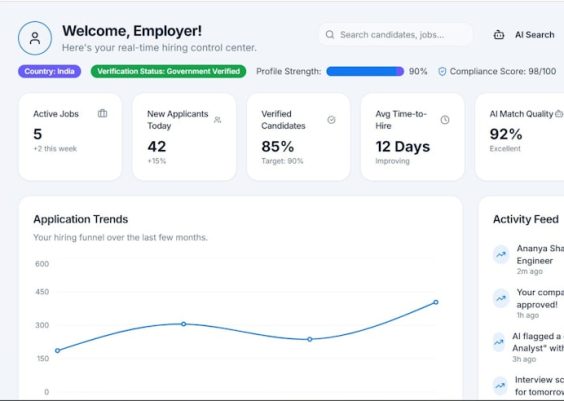
- Power BI or Tableau: These tools turn data into colorful dashboards and charts. Perfect for visual learners!
- SQL: This helps them pull data from big databases like a champ.
- Scripting languages: Python or R come in handy for more complex analysis.
- Project management software: Tools like Asana, Trello, or MS Project help bring it all together.
How They Actually Work
Let’s say a new hospital is being built. Here’s how the analyst jumps in from the start:
- They look at the current design plans.
- They gather data—like materials, building size, labor hours, etc.
- They analyze similar past projects to estimate realistic costs.
- They build models to test different scenarios. (What happens if we use glass instead of steel?)
- They create a super-clear report and share it with the team.
And just like that, suddenly the big scary number isn’t so scary. In fact, it’s now a smart number—one the team can build around with confidence.

Why “High-Clarity” Is a Big Deal
Think of clarity as wearing glasses. Without them, everything is blurry. That’s how project costs can feel when data is disorganized or vague.
A Project Design Data Analyst “puts the glasses on” for the whole team. Everyone can now see the same numbers, the same risks, and the same savings. This helps:
- Executives decide if the project is worth it.
- Designers find cost-effective materials.
- Managers plan better timelines.
- Accountants track spending without headaches.
Simplifying It For Everyone
Sometimes, data can be too technical. The analyst’s job is also to be a translator. They turn:
“Material cost variant over Q1-Q3 cross-referenced with multi-variable risk simulations…”
Into:
“We spent $15,000 more on flooring than expected, mostly because of delayed deliveries. Next time, ordering earlier could save us 20%.”
Now that’s helpful!
The Secret Sauce: Storytelling
Not only do these analysts handle data, but they also tell stories. Good stories. Stories that explain timelines, costs, and why certain decisions make sense.
They use charts that answer questions. They highlight risks in red and savings in green. With their visuals and simple summaries, leaders quickly understand the big picture.
Want to Be One? Here’s What You Need
If analyzing data and helping teams sounds fun—this role might be for you! Here’s a simple path to becoming a rockstar Project Design Data Analyst:
- Get good with numbers and patterns.
- Learn Excel, Power BI, or Google Data Studio.
- Understand how projects flow—from design to delivery.
- Practice making reports simple and clear.
- Ask lots of “why” and “what if” questions.
Final Thought: Analysts Are Bridge Builders
Honestly, these analysts are like bridges. They connect design, data, budgets, and people. Without them, projects can get off track or become too expensive.
But with them? Projects run smoother. Teams cooperate better. And ideas turn into reality—without hidden costs.

Wrap-Up: Make It Make Sense
We all want our projects to shine. But numbers and budgets shouldn’t be the dark tunnel between idea and execution. With a Project Design Data Analyst on board, projects get the spotlight they deserve—with clear, useful guidance lighting the way.
So next time you hear someone say “We don’t need a data analyst for our project,” smile and say: “Actually, they’re the key to making our ideas come to life—on time and on budget.”