A white spot on an iPhone LCD is usually a hardware problem, not a setting you can fix. Run basic LCD diagnostics first, but if the spot stays visible across apps, colors, and restarts, a professional screen replacement is usually the cleanest repair.
TLDR: If your iPhone shows a bright white patch, dot, or cloudy area on the LCD, test it with solid color screens and a restart before paying for repair. If the mark appears on white, gray, blue, and black backgrounds, the LCD layer or backlight is likely damaged. For example, a user who sees a 6 mm white spot near the bottom edge after a drop has a high chance of needing a screen replacement, not a software reset. In repair shops, pressure marks and backlight issues are among the most common causes of LCD white spots after impact or battery swelling.
What a White Spot on an iPhone LCD Usually Means
A white spot on an iPhone LCD often looks like a small bright dot, a cloudy patch, or a glowing area that refuses to move. It may be subtle on a colorful wallpaper, then painfully obvious on a white browser page or Messages screen.
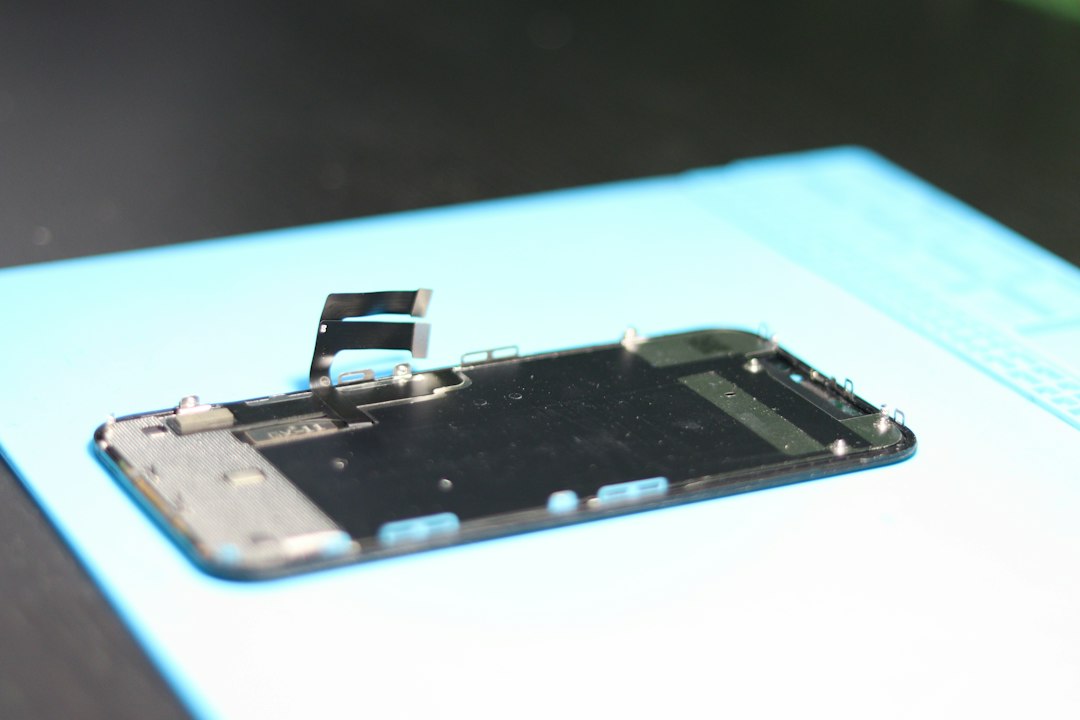
On LCD iPhones, the display depends on several layers. These include the glass, touch digitizer, liquid crystal layer, diffuser sheets, and backlight. When pressure, heat, liquid, or impact affects one of those layers, light can scatter unevenly. That is often what you are seeing.
Common causes include:
- Pressure damage from sitting on the phone or carrying it in a tight pocket.
- Drop damage, even if the glass did not crack.
- Battery swelling pushing against the back of the screen.
- Water exposure affecting the backlight or diffuser.
- Manufacturing defects, especially if the phone is fairly new.
- Low quality replacement screens with poor backlight diffusion.
LCD Diagnostics: What You Can Check at Home
LCD diagnostics are useful because they tell you whether the issue is likely software, image retention, or physical screen damage. They will not magically repair the panel. That part is annoying. Some testing apps make you tap through five screens just to show a plain white background, which should take one second, not twenty.
Still, the checks are worth doing before you spend money.
- Restart the iPhone. This clears temporary glitches and display rendering bugs.
- Turn off True Tone and Night Shift. Go to Display settings and disable color adjustment features.
- Set brightness to 100%. Then check whether the spot becomes stronger.
- Open solid color test images. Use black, white, red, green, blue, and gray backgrounds.
- Take a screenshot. View that screenshot on another device.
- Watch for movement. A software artifact may move with the image. A hardware spot stays fixed.
The screenshot test is especially helpful. If the white spot appears on your iPhone screen but not in the screenshot when viewed elsewhere, the display hardware is the likely culprit. If it appears in the actual image file, which is rare, the issue may come from the content, app, or camera.
Signs It Is Not Just a Software Glitch
Software problems tend to change. Hardware problems tend to sit there and mock you.
Your white spot is probably physical LCD damage if:
- It stays in the exact same position at all times.
- It is visible before apps open, such as on the lock screen.
- It gets brighter when screen brightness increases.
- It appears strongest on white or gray backgrounds.
- The phone was recently dropped, bent, pressed, or exposed to moisture.
- The screen has other symptoms, such as touch delay, flicker, lines, or yellow patches.
A single white dot can be a pressure mark. A larger cloudy area may point to a diffuser issue. A bright patch near the edge can mean the backlight is bleeding through unevenly. If the spot grows over time, stop ignoring it. That can happen when internal pressure continues, especially with a swelling battery.
When LCD Diagnostics Are Enough
Diagnostics are enough when the mark turns out to be temporary image retention or a color setting problem. This is less common with a true white spot, but it can happen.
You may avoid repair if:
- The mark disappears after a restart.
- It only appears in one app.
- It is visible only on one image or video.
- It changes location when you rotate the screen.
- It goes away after the phone cools down.
If that happens, update iOS, delete the problem app if needed, and reset display settings. You can also try reducing brightness for a while. Do not press hard on the screen to “massage” the spot out. That trick floats around online, and it can make the damage worse.
When Professional Screen Replacement Makes More Sense
Professional screen replacement is the better route when the white spot is fixed, growing, or paired with other symptoms. A technician can inspect the display, battery, frame, and internal connectors. That matters because replacing the screen without finding battery swelling or frame pressure can lead to the same problem coming back.
A good repair technician will usually check:
- The condition of the LCD and backlight.
- Whether the frame is bent.
- Whether the battery is swelling.
- Moisture indicators and corrosion.
- Touch response across the whole screen.
- Face ID, True Tone, brightness, and proximity sensor function after repair.

Honestly, it feels like many cheap repairs skip the boring checks. Then the customer leaves with a new screen and comes back two weeks later with another bright patch. The screen was replaced, sure. The root cause was not fixed.
LCD Repair vs Full Screen Replacement
Some people ask whether the LCD layer alone can be repaired. In theory, screen refurbishing shops can separate layers and rebuild displays. For most iPhone owners, that is not practical. It requires special machines, clean working conditions, and skill. A home repair attempt usually ends with dust, bubbles, broken flex cables, or a dead screen.
For normal users, full screen assembly replacement is the standard option. This means the glass, digitizer, and LCD are replaced as one unit. It is faster, cleaner, and more reliable than trying to repair one internal layer.
Quality matters a lot. A cheap LCD can look dim, blue tinted, or uneven. Touch may feel laggy. Brightness may be weaker outdoors. If your iPhone originally used a high quality Apple display, a poor replacement can feel like a downgrade every time you unlock the phone.
Cost, Risk, and Warranty Factors
Screen replacement cost depends on the iPhone model, part quality, and repair source. Older LCD iPhones usually cost less to repair than newer OLED models. Independent shops may be cheaper than Apple, but part quality varies. Apple or authorized service providers tend to cost more, yet they offer stronger process control and warranty support.
Before choosing repair, ask these questions:
- Is the replacement screen original, refurbished, or aftermarket?
- Will True Tone still work after repair?
- Is there a warranty on parts and labor?
- Will the battery be checked for swelling?
- Will water damage be inspected?
A 90 day repair warranty is common at decent shops, though terms differ. If the iPhone is still under warranty or AppleCare, check coverage before opening it elsewhere. Unauthorized repair can affect future service options.
Can You Keep Using an iPhone With a White Spot?
Yes, if touch works and the spot is only cosmetic. Many people use a phone with a small white spot for months. But there are limits.
Stop using it as usual and get it checked if:
- The screen starts flickering.
- The spot spreads.
- The display lifts from the frame.
- The phone gets unusually warm.
- The battery drains fast or the back feels swollen.
- Touch input becomes unreliable.
A swelling battery is the big red flag. It can push into the display and create white pressure marks. It can also become a safety risk. If the screen is lifting or the phone rocks on a flat table, power it down and have it inspected.
The Best Practical Choice
Start with simple LCD diagnostics. Use solid color tests, screenshots, brightness changes, and a restart. These steps cost nothing and can save you from an unnecessary repair visit.
If the white spot stays fixed, treat it as hardware damage. At that point, professional screen replacement is usually the most reliable fix. Ask about part quality. Ask about warranty. Ask whether the battery and frame will be checked too.
A white spot may look small, but it tells a story. Sometimes it is just a harmless pressure mark. Sometimes it is the first sign of a failing display or swollen battery. The smart move is simple: test first, then repair with the right parts if the screen itself is the problem.