Finance software is rarely purchased on impulse. Buyers usually compare multiple vendors, gather stakeholder input, and look for proof that a platform can improve reporting, forecasting, compliance, budgeting, payments, or accounting workflows. A well-structured demo can become the moment when uncertainty turns into confidence, especially when it shows how the software solves real finance problems rather than simply displaying menus and features.
TLDR: Finance software demos convert best when they are tailored to the prospect’s role, pain points, and business goals. The strongest examples use realistic financial data, clear workflows, measurable outcomes, and a compelling story that connects features to value. Demo teams should focus less on showing every tool and more on proving that the platform can save time, reduce risk, improve visibility, and support smarter decisions.
Why Finance Software Demos Matter
Finance software usually affects critical business operations, including cash flow, reporting accuracy, audit readiness, payroll, expense control, and strategic planning. Because of this, prospects need more than a generic product tour. They need to see how the system performs under realistic conditions and how it supports the finance team’s daily responsibilities.
A successful demo makes the buyer feel understood. It presents familiar challenges, such as delayed month-end close, scattered spreadsheets, manual reconciliations, inconsistent approvals, or limited visibility into spending. Then it shows how the software addresses those issues in a simple, practical, and credible way.
The goal of a converting demo is not to impress prospects with complexity. The goal is to make the buying decision feel safer, clearer, and easier.
1. The CFO Dashboard Demo
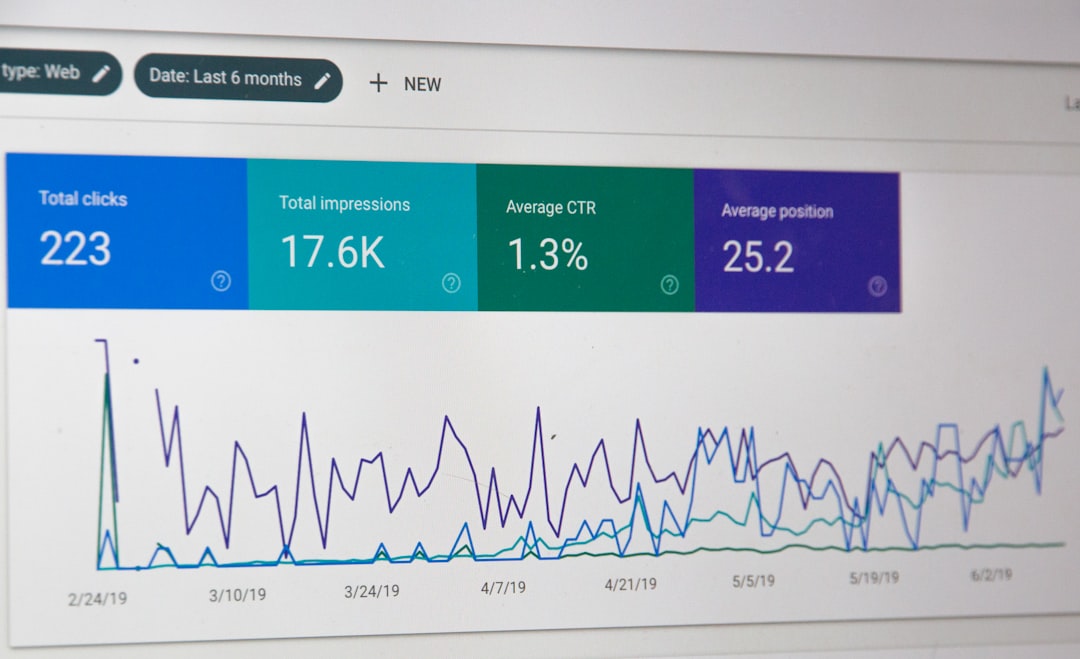
One of the most effective finance software demo examples is the executive dashboard presentation. This demo is designed for CFOs, finance directors, founders, and executives who need a high-level view of company performance.
Instead of beginning with setup screens or administrative settings, the demo opens with a polished dashboard showing key metrics such as:
- Cash position across accounts and entities
- Revenue trends by month, region, or business unit
- Budget versus actuals in real time
- Accounts receivable aging and collection risks
- Forecast accuracy and projected runway
This type of demo converts because it speaks directly to executive priorities. It shows that the software does not merely store financial data; it transforms that data into insight. When prospects can quickly understand company performance without waiting for manual reports, the value becomes obvious.
A strong CFO dashboard demo should also include drill-down moments. For example, the presenter may click from an overall cash flow chart into specific unpaid invoices, then into customer-level details. This demonstrates both strategic visibility and operational depth.
2. The Month-End Close Demo
Finance teams often struggle with the month-end close process. A demo focused on close management can be highly persuasive because it addresses a recurring, painful workflow. The presenter can frame the scenario around a finance manager who is trying to close the books faster while maintaining accuracy and audit readiness.
The demo may show:
- Automated task assignments for close activities
- Real-time status tracking for each department or subsidiary
- Automated reconciliations and exception alerts
- Supporting documentation attached to journal entries
- Approval workflows with a full audit trail
This example works especially well when the presenter compares the old process with the new one. The old process might involve spreadsheets, email reminders, status meetings, and last-minute corrections. The new process shows a centralized close checklist, automated controls, and instant visibility into bottlenecks.
Conversion insight: Prospects respond well when the demo quantifies the improvement. For instance, stating that similar teams reduced close time from ten business days to five creates a memorable business case.
3. The Forecasting and Scenario Planning Demo
Forecasting demos are powerful because they connect finance software to strategic decisions. This type of demo is especially useful for companies dealing with growth planning, market uncertainty, cost control, or investor reporting.
The presenter can begin with a baseline forecast, then model several scenarios. For example, the software may show how hiring plans, pricing changes, delayed receivables, or increased operating expenses affect cash flow over the next twelve months.
Effective scenario planning demos include:
- Best-case, expected-case, and worst-case models
- Driver-based assumptions such as headcount, revenue growth, churn, or margin
- Instant updates when assumptions change
- Visual comparisons between multiple financial outcomes
This demo converts prospects because it presents the software as a decision-making tool, not just an accounting system. Stakeholders can see how finance leaders would use it to guide investments, hiring, cost reductions, and growth strategies.

4. The Accounts Payable Automation Demo
Accounts payable demonstrations are useful for prospects who want to reduce manual work, avoid duplicate payments, and improve vendor management. This demo should move through a complete workflow, from invoice capture to payment approval.
A clear AP automation demo might show an invoice arriving by email, being scanned automatically, matched to a purchase order, routed to the correct approver, and scheduled for payment. If the system can detect errors, missing data, or unusual charges, that moment should be highlighted.
Risk reduction is a major selling point in finance software. When the demo shows how the platform prevents overpayments, flags suspicious invoices, or enforces approval policies, prospects can connect the software to stronger financial control.
The best AP demo examples also show the vendor experience. For instance, a supplier portal can demonstrate fewer status inquiries, faster communication, and better payment transparency. This adds value beyond the internal finance team.
5. The Expense Management Demo
An expense management demo is often easier for prospects to understand because the workflow is familiar. Employees submit receipts, managers approve expenses, and finance teams review compliance. The conversion opportunity comes from showing how much friction can be removed from the process.
The presenter can walk through a mobile receipt capture, automatic policy check, approval notification, and reimbursement schedule. The demo should include examples of policy enforcement, such as limits on travel meals, missing receipts, or expenses submitted outside the approved category.
For finance leaders, the demo should then shift to reporting. It can show spending by department, employee, project, location, or vendor. This makes the value broader than convenience; it becomes a tool for cost management and budget control.
6. The Compliance and Audit Readiness Demo
For regulated industries or growing companies preparing for audits, compliance-focused demos can be highly effective. These prospects care about documentation, permissions, traceability, and accuracy. A successful demo should show that the software supports strong internal controls without creating unnecessary complexity.
Key elements may include:
- Role-based user permissions
- Detailed audit logs
- Change history for financial records
- Approval chains for sensitive transactions
- Secure document storage
- Compliance reporting exports
This type of demo should avoid vague promises. Instead, it should show exactly where a reviewer can find supporting documents, who approved a transaction, when changes were made, and how exceptions are handled. Specificity builds trust.
7. The Multi-Entity Consolidation Demo
Companies operating across multiple entities, currencies, or regions often face complicated consolidation processes. A demo centered on consolidation can convert prospects by showing how the software reduces spreadsheet dependency and improves reporting speed.
The presenter may show separate entity ledgers, currency conversions, intercompany eliminations, and consolidated financial statements. The strongest demos include a before-and-after comparison. Before the software, the team may spend days collecting files and checking formulas. After implementation, consolidation becomes a controlled, repeatable process.
This demo is especially compelling for growing companies, private equity-backed businesses, international organizations, and accounting teams managing multiple subsidiaries.

What Makes a Finance Software Demo Convert?
High-converting finance software demos usually share several traits. They are personalized, concise, outcome-focused, and grounded in real business situations. They also involve the right stakeholders and avoid overwhelming prospects with unnecessary details.
Several best practices consistently improve conversion rates:
- Start with discovery. The demo should reflect the prospect’s industry, company size, existing tools, and top financial challenges.
- Use realistic data. Sample data should resemble the prospect’s reporting structure, transaction volume, and terminology.
- Tell a story. A workflow-based narrative is more memorable than a feature-by-feature tour.
- Show measurable value. The presenter should connect features to time savings, error reduction, faster reporting, or improved cash visibility.
- Address objections naturally. Security, integrations, implementation time, and data migration should be covered before they become barriers.
- End with a clear next step. The demo should conclude with a proposed implementation discussion, technical review, pilot, or stakeholder follow-up.
Common Demo Mistakes That Reduce Conversions
Even strong finance software can lose prospects when the demo is poorly structured. One common mistake is showing too many features too quickly. Finance buyers rarely need to see every function in the first meeting. They need confidence that the product solves their most urgent problems.
Another mistake is failing to tailor the demo by role. A CFO may care about forecasting and board reporting, while an AP manager may care about invoice routing and approval exceptions. A controller may focus on compliance, reconciliations, and close management. The demo should align with the audience in the room.
Overly technical explanations can also weaken the message. While some stakeholders need integration details, most buyers first need to understand the business benefit. Technical depth should support the value story, not replace it.
How Demo Teams Can Improve Follow-Up
The demo does not end when the meeting ends. Strong follow-up can significantly influence conversion. The vendor should send a concise recap that connects the prospect’s stated challenges to the demonstrated solutions. This recap may include screenshots, workflow summaries, implementation notes, pricing next steps, and answers to questions raised during the call.
A customized follow-up message reinforces that the vendor listened carefully. It also helps internal champions share the value with stakeholders who did not attend the demo. In complex finance software sales, this internal sharing often determines whether the deal moves forward.
Conclusion
Finance software demo examples that convert prospects into customers are not generic product walkthroughs. They are carefully designed presentations that show how the platform improves financial visibility, reduces manual work, strengthens controls, and supports better decisions. Whether the demo focuses on dashboards, month-end close, forecasting, AP automation, expense management, compliance, or consolidation, its success depends on relevance and clarity.
The most persuasive demos help prospects picture a better version of their finance operation. They make the benefits tangible, the workflow understandable, and the purchase decision easier to justify. When a demo connects financial pain points to measurable business outcomes, it becomes one of the strongest tools for turning interest into revenue.
FAQ
What should a finance software demo include?
A finance software demo should include realistic workflows, relevant financial data, role-specific use cases, reporting examples, automation capabilities, security features, integrations, and clear business outcomes.
How long should a finance software demo be?
Most finance software demos perform best when they last between 30 and 60 minutes. Complex enterprise demos may require multiple sessions for executives, finance users, IT teams, and implementation stakeholders.
What is the best way to personalize a finance software demo?
The best approach is to conduct discovery before the demo. The presenter should learn about the prospect’s current systems, pain points, approval processes, reporting needs, company structure, and success metrics.
Why do some finance software demos fail to convert?
Demos often fail when they are too generic, too technical, too long, or not aligned with the prospect’s priorities. They may also fail when they do not show measurable value or address concerns such as implementation, security, and integrations.
Which finance software demo example is most effective?
The most effective demo depends on the prospect. CFOs may respond best to dashboards and forecasting, while controllers may prefer close management and audit readiness. AP teams may be most interested in invoice automation and approval workflows.
How can a demo prove return on investment?
A demo can prove return on investment by showing time savings, reduced errors, faster close cycles, fewer manual tasks, improved cash visibility, stronger compliance, and better decision-making. Specific numbers and benchmarks make the value more persuasive.