Work is no longer stuck in one building. Some people are at home. Some are in the office. Some are in a café with a heroic cup of coffee. This is the new world of hybrid and remote work. To make it run well, teams need the right digital workplace solutions.
TLDR: Digital workplace solutions help hybrid and remote teams work together without chaos. They bring chat, video calls, files, tasks, and company updates into one easy system. For example, a 50-person marketing team can cut meeting time by 25% by using shared task boards and recorded updates instead of daily status calls. The goal is simple: less confusion, more action.
What Is a Digital Workplace?
A digital workplace is the online version of your office. It is where work happens when people are not in the same room. It includes apps, tools, files, chats, calendars, and workflows.
Think of it like a smart office in your laptop. It has meeting rooms. It has filing cabinets. It has sticky notes. It even has a water cooler, but with more emojis.
A good digital workplace helps people:
- Talk to each other fast.
- Find files without panic.
- Track tasks and deadlines.
- Share ideas across time zones.
- Stay connected to the company culture.
Why Hybrid and Remote Teams Need It
Hybrid work can be lovely. You get flexibility. You skip traffic. You may wear slippers during a serious budget meeting. No judgment.
But it can also get messy. People miss updates. Files hide in random folders. Messages get buried. Meetings multiply like rabbits.
This is where digital workplace tools save the day. They create one shared space for everyone. Office workers and remote workers get the same information. Nobody has to ask, “Wait, where is that document?” for the tenth time.
When digital work is planned well, teams feel calmer. They know what to do. They know where to look. They know who is responsible for what.
The Core Tools Every Team Needs
You do not need 47 apps. That is not a workplace. That is a circus. Start with the basics.
1. Team Chat
Chat tools are the hallway of the digital office. They are great for quick questions, updates, and small wins.
Use channels or groups for different topics. For example:
- #announcements for company news.
- #sales for sales updates.
- #support for customer issues.
- #random for pet photos and birthday GIFs.
Set rules. Urgent messages should be clear. Non-urgent messages can wait. This keeps chat helpful, not noisy.
2. Video Meetings
Video calls help people feel human. They are useful for planning, brainstorming, and tough conversations.
But not every topic needs a meeting. Some updates can be a message. Some can be a short video recording. Some can be a document.
A smart rule is simple: meet when talking together adds value. Do not meet just because Tuesday exists.
3. Project Management Tools
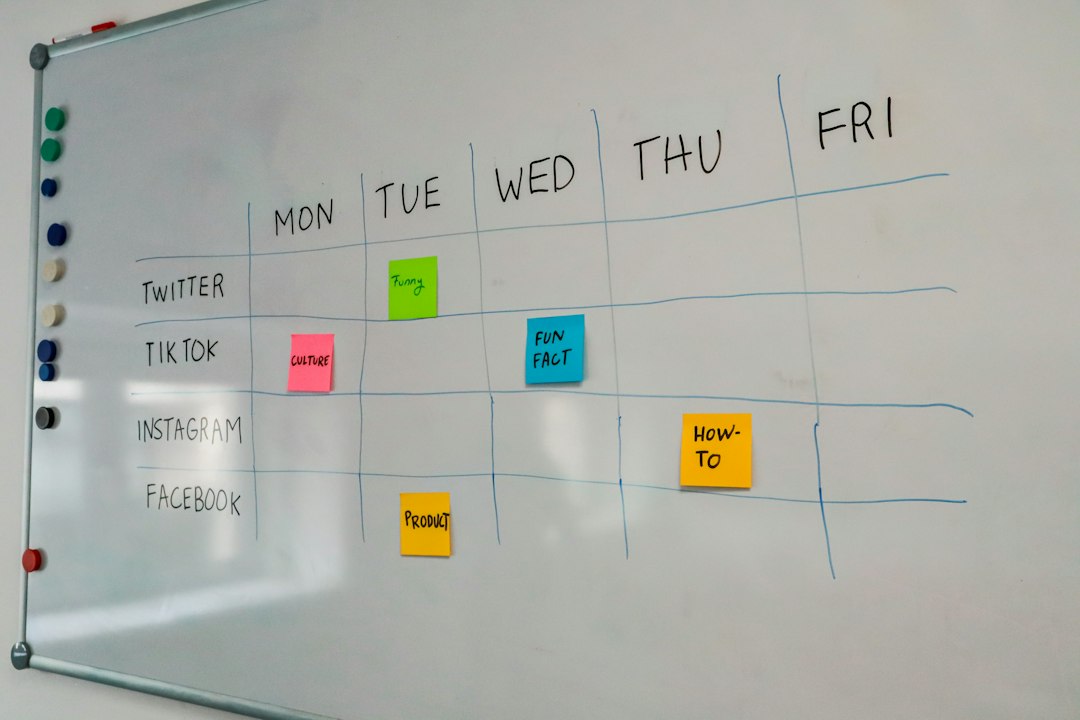
Project tools show who is doing what. They also show what is late, what is blocked, and what is finished.
They replace mystery with clarity. Each task should have:
- A clear owner.
- A deadline.
- A status.
- Helpful notes or links.
This makes teamwork visible. It also reduces awkward “just checking in” messages.
4. Cloud File Storage
Files should live in one safe place. Not on Bob’s desktop. Not in an email from six months ago. Not in a folder called “Final Final Really Final.”
Cloud storage lets everyone access the latest version. It also helps with permissions. Some files can be public to the team. Others can be private.
Use simple folder names. Use version control. Archive old items. Your future self will thank you.
5. Knowledge Base
A knowledge base is your company brain. It stores how-to guides, policies, answers, templates, and processes.
This is very helpful for new hires. It is also helpful for people who forget things. So, basically everyone.
A good knowledge base should be searchable. It should be updated often. It should have clear owners. Old information can be worse than no information.
Make Communication Clear
Remote work runs on words. So words need to be clear.
Short messages are best. Use simple language. Say what you need. Add a deadline when needed.
Instead of this:
“Can someone look at the thing when they get a chance?”
Try this:
“Maria, can you review the homepage draft by Thursday at 2 p.m.?”
That is clear. That is kind. That saves everyone from mind reading.
Teams should also agree on response times. For example:
- Urgent chat: reply within 30 minutes.
- Normal chat: reply within 4 hours.
- Email: reply within 24 hours.
- Project comments: reply by the next workday.
These rules reduce stress. People stop wondering if they are being ignored.
Protect Focus Time
Digital tools are great. Too many notifications are not. They can turn your brain into popcorn.
Hybrid and remote teams need focus time. Deep work needs quiet. Writing, coding, designing, planning, and problem-solving all take attention.
Encourage people to block focus time on calendars. Let them mute notifications. Use status updates like “deep work” or “back at 3 p.m.”
This builds trust. It also helps people do better work in less time.
Keep Culture Alive
Culture is not free snacks. Though snacks are nice. Culture is how people treat each other. It is how teams celebrate, solve problems, and share trust.
Digital workplace solutions can support culture in small, fun ways.
- Celebrate wins in a public channel.
- Host virtual coffee chats.
- Create interest groups for books, games, fitness, or pets.
- Use quick polls to ask for feedback.
- Share weekly shout-outs.
Small moments matter. A simple “great job” can travel far.

Do Not Forget Security
Remote work needs strong security. People log in from homes, airports, and shared networks. That brings risk.
Use basic safety rules:
- Turn on multi-factor authentication.
- Use strong passwords.
- Limit access to sensitive files.
- Train employees on phishing scams.
- Remove access when someone leaves the company.
Security should be simple to follow. If it is too hard, people will find shortcuts. Shortcuts can become problems.
How to Choose the Right Solutions
Do not pick tools because they are trendy. Pick tools because they solve real problems.
Start by asking your team:
- Where do we lose time?
- What information is hard to find?
- Which meetings feel unnecessary?
- What tasks are unclear?
- Which tools do people actually enjoy using?
Then choose tools that are easy to use. Training should be simple. The design should make sense. If people need a map, a compass, and emotional support to use the app, keep looking.
Also check integrations. Your chat, calendar, file storage, and project tools should work together. This saves clicks. It also saves patience.
A Simple Example
Imagine a small software team with 20 people. Ten work from home. Six work in the office. Four travel often.
Before digital workplace improvements, they had too many meetings. Tasks were tracked in emails. Files were scattered. New team members felt lost.
Then they made a simple system. Chat for quick updates. A project board for tasks. Cloud folders for files. A knowledge base for guides. One weekly team meeting. Short recorded updates on other days.
After two months, they saw big changes. Internal emails dropped by 40%. Weekly meeting hours dropped from 12 to 8. New hires found answers faster. The team felt less rushed.
Nothing magical happened. They just made work easier to see and easier to manage.
Final Thoughts
Digital workplace solutions are not about adding more apps. They are about creating a better way to work.
For hybrid and remote teams, the best setup is simple. People need clear communication. Easy access to files. Visible tasks. Safe systems. A bit of fun. And fewer meetings that could have been a message.
The future of work is flexible. It can also be friendly, focused, and well organized. With the right digital workplace, your team can work from anywhere and still feel like they are moving together.