Instagram is no longer just a place to scroll through pretty photos; it is a massive discovery engine for trends, products, creators, local businesses, tutorials, reviews, and conversations. But finding the right posts can be tricky if you only rely on the basic search bar. The good news is that with a few smart techniques, you can search Instagram posts by keyword more effectively and uncover content that would otherwise stay buried.
TLDR: Instagram keyword search works best when you combine several methods instead of depending on one search box. Use Instagram’s search tab, hashtags, captions, locations, profiles, comments, and external search engines to find more relevant posts. For best results, try variations of your keyword and mix broad terms with specific phrases. These methods are useful for creators, marketers, researchers, and anyone looking for targeted Instagram content.
1. Start with Instagram’s built-in keyword search
The simplest place to begin is Instagram’s own Search function. Tap the magnifying glass icon, type your keyword into the search bar, and review the results under tabs such as Top, Accounts, Audio, Tags, and Places. Instagram has improved its ability to understand keywords, which means it can sometimes surface posts that include your search term in captions, usernames, bios, or related content.
For example, if you search for “minimalist kitchen”, Instagram may show posts, reels, creators, and hashtags related to simple interior design. However, results are influenced by popularity, engagement, your previous activity, and location, so they may not be perfectly chronological or exhaustive.
Tip: Try both broad and specific searches. Search “home decor” first, then narrow it down with terms like “small apartment decor” or “neutral bedroom ideas.”

2. Search hashtags related to your keyword
Hashtags remain one of the most effective ways to search Instagram posts by keyword. Many users add hashtags to make their content discoverable, and Instagram organizes hashtagged posts into dedicated pages. To use this method, type your keyword with a hashtag in the search bar, such as #veganrecipes, #travelphotography, or #skincareroutine.
Once you open a hashtag page, you can explore posts, reels, and popular content associated with that tag. Some hashtag pages also suggest related hashtags, which can lead you to even more specific communities.
- Use popular hashtags for a large volume of content.
- Use niche hashtags for more targeted, less crowded results.
- Combine location and topic, such as #londoncoffee or #miamifitness.
Keep in mind that not every relevant post uses hashtags, and some hashtags are filled with spam. Still, they are incredibly useful when you want to browse content around a theme, trend, industry, or hobby.
3. Look for keywords in captions
Instagram does not offer a simple “search captions only” filter for regular users, but caption keywords still matter. The platform can index words in captions and use them to determine which posts are relevant to a search. This means thoughtful keyword searches can help you find posts where users have written about a topic, even if they did not use a matching hashtag.
For instance, a small bakery might post a caption saying, “Our new sourdough loaf is made with organic rye flour,” without using #sourdough. A keyword search for “sourdough loaf” may still help surface similar content, especially if the account or post has other relevant signals.
To get better results, search natural phrases people would actually write in captions. Instead of only searching “marketing”, try “content marketing tips”, “email marketing strategy”, or “marketing mistakes.” This makes your search more precise and can reduce unrelated results.
4. Use location search for local keyword discovery
If your goal is to find content connected to a place, Instagram’s Places tab can be extremely useful. Search for a city, neighborhood, restaurant, store, event venue, or landmark, then open the location page to see posts tagged there. This method is ideal for finding local recommendations, event content, travel inspiration, or nearby businesses.
Location search becomes even more powerful when paired with keywords. Suppose you want to find cafés in Paris with creative interiors. You might search for “Paris café”, explore relevant places, then review the posts tagged at those locations. Captions and comments often reveal details that do not appear in the business profile.
Image not found in postmetaBest uses for location search include:
- Finding user-generated content from events or venues
- Researching local competitors or brands
- Discovering restaurants, shops, hotels, and attractions
- Checking recent activity at a specific place
5. Search within profiles and bios
Sometimes the fastest way to find relevant posts is to first find the right accounts. Instagram’s Accounts search tab can show profiles that include your keyword in their username, display name, or bio. Once you find a relevant profile, you can browse its posts, reels, highlights, and tagged content.
This method works especially well when you are looking for creators or businesses in a specific niche. For example, if you search “wedding photographer”, Instagram will likely display accounts that identify themselves with that phrase. From there, you can inspect their posts for related keywords, styles, locations, and client examples.
Do not ignore the tagged posts section on a profile. A brand or creator’s tagged posts can reveal customer photos, collaborations, reviews, and behind-the-scenes content that may not appear in their main feed.
6. Check comments for hidden keyword clues
Comments are often overlooked, but they can provide valuable context. While Instagram’s standard search does not let you search all comments across the platform directly, you can manually inspect comments on relevant posts to find keywords, questions, product names, complaints, recommendations, or related accounts.
For example, if you are researching a fitness product, the caption may be promotional, but the comments might include phrases like “does this work for beginners?”, “where can I buy this?”, or “better than the previous version.” These phrases can help you discover new keyword ideas and understand what people actually care about.
This method is particularly useful for marketers, journalists, social media managers, and creators who want to identify audience language. The words people use in comments can inspire future searches, captions, hashtags, and content topics.
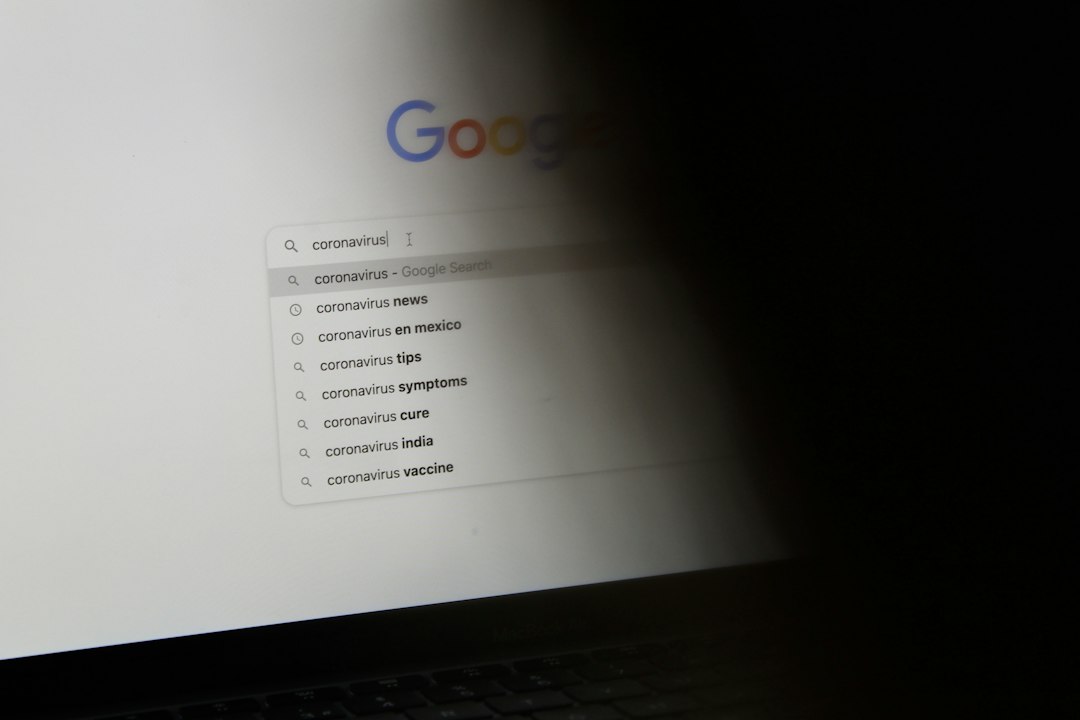
7. Use Google to search Instagram posts
External search engines can sometimes find Instagram content that is difficult to locate inside the app. Google, for example, may index public Instagram profiles, captions, and pages. Try using search operators such as:
- site:instagram.com “your keyword”
- site:instagram.com/p “your keyword”
- site:instagram.com “keyword” “city name”
If you are searching for public posts about handmade jewelry, you might type site:instagram.com/p “handmade silver rings” into Google. This can reveal indexed Instagram post pages that include that phrase. Results will vary because private accounts, unindexed posts, deleted content, and app-only features may not appear.
This method is not perfect, but it is a strong backup when Instagram’s internal search feels too limited. It also works well for finding older content, niche phrases, or public profiles that mention very specific terms.
Extra tips for better Instagram keyword searches
To get the most accurate results, think like both a search engine and a human. Instagram matches words, but it also considers engagement, relevance, relationships, and behavior. That means small changes in your search phrase can produce very different results.
- Try synonyms: Search “sneakers”, “trainers”, and “running shoes”.
- Use singular and plural forms: Try “recipe” and “recipes.”
- Search related hashtags: A niche community may use different wording than you expect.
- Save useful posts: This helps you build a reference library and may improve future recommendations.
- Check recent results: Trends move quickly, so revisit searches regularly.
Final thoughts
Searching Instagram posts by keyword is part technique and part experimentation. The platform does not work like a traditional search engine, so the best results usually come from combining multiple methods: keyword search, hashtags, locations, captions, profiles, comments, and Google search. If one method feels too broad or too limited, switch to another angle.
Whether you are tracking trends, planning content, researching competitors, shopping for ideas, or simply exploring your interests, these seven methods will help you move beyond random scrolling. With the right keywords and a little curiosity, Instagram becomes a much more powerful tool for finding relevant, timely, and inspiring content.