Tesla cars feel like gadgets on wheels. They have giant screens, fast software, games, streaming apps, and updates that arrive while the car sleeps. So many drivers ask a simple question: does Tesla support Apple CarPlay? The answer is simple, but the story around it is a little more interesting.
TLDR: Tesla does not officially support Apple CarPlay right now. There is no built-in CarPlay app, no wired CarPlay, and no wireless CarPlay in Tesla vehicles. Tesla offers its own software instead, with apps like Apple Music, Spotify, navigation, Bluetooth calling, and messaging. You can use workarounds, but they are not as smooth as real CarPlay.
What Is Apple CarPlay?
Apple CarPlay is Apple’s car-friendly version of the iPhone. It puts selected iPhone apps on a car’s screen. You can use it for maps, music, calls, messages, podcasts, and voice commands.
It is designed to be simple. Big buttons. Clean menus. Less tapping. More driving.
With CarPlay, drivers can use apps like:
- Apple Maps
- Google Maps
- Waze
- Apple Music
- Spotify
- Podcasts
- Messages
- Phone
- Siri
Many drivers love CarPlay because it feels familiar. If you know your iPhone, you already know CarPlay. It is like bringing your phone’s brain into the car.
Does Tesla Support Apple CarPlay?
No. Tesla does not officially support Apple CarPlay.
This is true for the Model S, Model 3, Model X, Model Y, Cybertruck, and newer Tesla vehicles. It does not matter if your Tesla is new or old. There is no official CarPlay button hiding in a menu. There is no secret update you missed.
Tesla also does not officially support Android Auto. Tesla prefers to use its own system for navigation, music, settings, charging, and vehicle controls.
That may sound strange. Many cheaper cars have CarPlay. Some tiny hatchbacks have it. Some pickup trucks have it. Even rental cars often have it. But Tesla has taken a different road.
In true Tesla fashion, it wants to build the whole experience itself.
Why Does Tesla Not Have CarPlay?
Tesla has never given one single, final reason. But there are a few likely reasons.
1. Tesla Wants Full Control
Tesla software is not just a radio menu. It controls many parts of the car.
The screen handles:
- Climate control
- Navigation
- Charging information
- Battery settings
- Autopilot settings
- Seat heaters
- Camera views
- Entertainment apps
- Vehicle updates
Because the screen is so important, Tesla may not want another company’s interface sitting on top of it. Apple CarPlay is great, but it is still Apple’s system. Tesla likes Tesla things.
2. Tesla Navigation Is Tied to Charging
This is a big one.
Tesla’s built-in navigation does more than show a route. It plans charging stops. It tells you how much battery you will have when you arrive. It preconditions the battery before Supercharging. That means it warms or cools the battery so charging can be faster.
Apple Maps can be smart. Google Maps can be smart. Waze can be super helpful. But Tesla’s own navigation is deeply connected to the car.
If you use regular CarPlay maps, you may lose some of that magic. You may get great traffic data, but you may not get the same battery planning.
3. Tesla Builds Its Own App World
Tesla already includes several popular services. Depending on your region and software version, you may find apps such as:
- Apple Music
- Spotify
- Tidal
- TuneIn
- YouTube
- Netflix
- Disney Plus
- Twitch
- Arcade games
Some apps only work while parked. That is for safety. No one needs to watch a movie while changing lanes. Please do not do that. The car will not be impressed.
Tesla seems to think its own app system is enough for many drivers.
Can You Use Your iPhone with a Tesla?
Yes. You can use an iPhone with a Tesla. You just cannot use full Apple CarPlay.
Your iPhone can do several useful things with a Tesla:
- Act as a phone key
- Play music over Bluetooth
- Make and receive calls
- Sync contacts
- Receive some message notifications
- Use the Tesla app for remote controls
- Control charging
- Preheat or cool the cabin
- Check vehicle location
The Tesla app is actually one of the best car apps around. You can unlock the car, start climate control, open the trunk, schedule charging, and check battery level. It feels futuristic. It also makes you feel like a spy. A very warm spy, because you preheated the seats.
But it is not CarPlay.
What About Apple Music in Tesla?
Tesla does support Apple Music in many markets. That is important.
For some drivers, that removes the biggest reason they wanted CarPlay. If all you wanted was Apple Music on the big screen, Tesla may already do the job.
You can sign in to Apple Music on the Tesla screen. Then you can browse music, playlists, albums, and stations. It is not exactly like the iPhone app, but it works well enough for many people.
Still, there is a difference between Apple Music support and Apple CarPlay support. Apple Music is one app. CarPlay is a whole interface. It includes maps, messages, calls, Siri, and many other apps.
So yes, Tesla may play your favorite playlist. No, it does not give you the full Apple dashboard.
Can You Use Siri in a Tesla?
You can use Siri through your iPhone, but not in the same clean way as CarPlay.
For example, you can say “Hey Siri” if your iPhone can hear you. You can ask Siri to send a message, play music, or make a call. The audio may come through the car speakers if your phone is connected by Bluetooth.
But Tesla’s built-in voice system is separate. Tesla voice commands control car features. Siri controls iPhone features.
It is like having two assistants in the car. One knows your playlists. One knows your seat heater. They do not always talk to each other. Awkward.
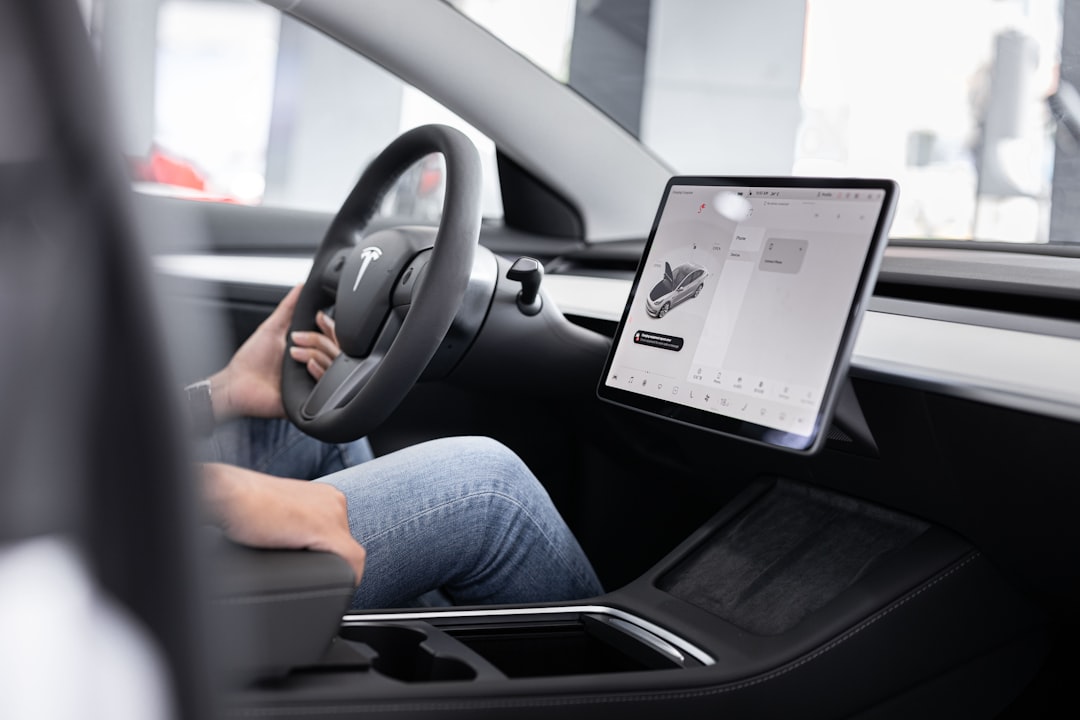
Are There Tesla CarPlay Workarounds?
Yes, but be careful. There are unofficial ways to get something like CarPlay in a Tesla. These are workarounds, not official Tesla features.
Common options include:
- Aftermarket screens mounted behind the steering wheel or near the main display
- CarPlay adapter boxes that add a separate interface
- Browser-based systems that run CarPlay through the Tesla web browser
- DIY Raspberry Pi setups, often using projects made by hobbyists
These can be fun. They can also be annoying. Some work well. Some are laggy. Some need extra wires. Some require technical setup. Some may break after software updates.
Also, they may not look as clean as factory CarPlay. Tesla interiors are simple and neat. Adding screens and cables can make the cabin look like a robot had a bad hair day.
Are Workarounds Safe?
That depends on the product and how it is installed.
A simple second screen may be fine if it does not block your view. But anything that distracts you can become a problem. If a workaround makes you tap too much, squint too much, or troubleshoot while driving, it is not worth it.
You should also think about:
- Warranty concerns
- Software update issues
- Privacy
- Installation quality
- Driver distraction
- Resale value
If a device asks for lots of data, be cautious. If it needs deep access to your car, be extra cautious. If the instructions look like they were written by a raccoon with a keyboard, run away.
Will Tesla Add CarPlay in the Future?
Right now, there is no official confirmation that Tesla will add Apple CarPlay.
There are always rumors. Tesla rumors are like squirrels. They appear often, move fast, and are hard to catch.
Some fans hope Tesla will add CarPlay because customer demand is strong. Many Tesla owners use iPhones. Many want Waze, Google Maps, Apple Podcasts, and a more familiar message system.
Other fans think Tesla will never add it. They believe Tesla wants a closed, controlled, fully Tesla-made software experience.
Both sides have a point.
Could Tesla add CarPlay with a software update? In theory, yes. Tesla cars already receive major software updates over the air. The company has added big features before.
But “could” is not the same as “will.” For now, CarPlay remains absent.
What Tesla Gives You Instead
Tesla’s built-in system is not weak. It is one of the most advanced car systems available. The screen is fast. The design is clean. The map is large. Updates keep adding features.
Tesla gives you:
- Built-in navigation with Supercharger planning
- Battery arrival estimates
- Charging station availability
- Music streaming apps
- Bluetooth audio
- Phone calls
- Text message support
- Voice commands
- Dashcam and Sentry Mode controls
- Video apps while parked
- Games and fun extras
This is why some Tesla owners stop caring about CarPlay after a while. They get used to the Tesla way. They may still miss Waze, but they enjoy the big map and charging features.
Others never stop missing CarPlay. They want their iPhone world on the big screen. Fair enough. People like what they like.
Image not found in postmetaWhat Do Tesla Owners Miss Most?
When Tesla owners ask for CarPlay, they usually want a few specific things.
Waze
Many drivers love Waze for police reports, road hazards, traffic alerts, and crowd-sourced updates. Tesla navigation has traffic data, but it does not feel the same as Waze.
Google Maps
Some people prefer Google Maps because they use it everywhere. They trust its search results. They like its route choices. They know its layout.
Apple Podcasts
Podcast fans want an easy way to continue shows from their iPhone. Bluetooth works, but it is not as nice as a native app.
Better Messaging
CarPlay handles messages in a very iPhone-friendly way. Tesla supports some messaging features, but many users prefer Apple’s system with Siri.
Should CarPlay Matter When Buying a Tesla?
It depends on you.
If CarPlay is a must-have feature, you should test a Tesla before buying. Spend time with the screen. Try navigation. Try calls. Try music. See if you can live without CarPlay.
If you mostly use built-in navigation and stream music from Apple Music or Spotify, you may be fine. If you rely on Waze every day, you may feel frustrated.
Here is a simple way to think about it:
- Buy a Tesla for Tesla software. It is central to the car.
- Do not buy a Tesla expecting CarPlay soon. There is no promise.
- Use Bluetooth if you need basic iPhone audio. It works.
- Try workarounds only if you enjoy tinkering. They are not for everyone.
The Current Status in One Clear Answer
The current status is simple: Tesla does not support Apple CarPlay officially.
There is no factory CarPlay feature in Tesla vehicles. There is no official release date. There is no confirmed plan. Tesla continues to improve its own infotainment system instead.
For iPhone users, the experience is still good in many ways. You get phone key support, Bluetooth, Apple Music, calls, contacts, and the Tesla mobile app. But you do not get the full CarPlay interface.
So if you want the shortest answer, here it is:
Tesla and Apple CarPlay are not together right now. They are not married. They are not dating. They are not even sharing a charging cable. Maybe someday. But not today.
Final Thoughts
Tesla’s lack of CarPlay is one of those weird car tech debates that will not go away. Some drivers shrug. Some drivers complain. Some build wild DIY setups in their garage. That is the beauty of car people. There is always a project.
For now, Tesla wants you to use Tesla’s system. Apple wants you to use Apple’s system. Drivers just want their music, maps, and messages to work without drama.
The good news is that Tesla’s software is strong. The bad news is that CarPlay fans still have to wait, workaround, or move on.
Until Tesla changes its mind, the answer stays the same: no official Apple CarPlay support in Tesla vehicles. Simple. Clear. A little annoying for some. But very Tesla.