Construction projects move fast. Deadlines shift. Crews change. Materials arrive late. Without a clear schedule, things fall apart quickly. That is why modern construction teams rely on scheduling apps with Gantt charts and mobile access. These tools keep everyone on the same page, whether they are in the office or on the job site.
TLDR: Construction scheduling apps with Gantt charts help teams plan tasks, track progress, and avoid delays. Mobile access keeps field crews and managers connected in real time. The best tools combine visual timelines, collaboration features, and easy updates. Below are six great apps that make construction scheduling simpler and smarter.
Let’s explore six powerful tools. Each one offers Gantt charts. Each one works on mobile devices. And each one helps you stay organized without the headache.
Why Gantt Charts Matter in Construction
A Gantt chart is a visual timeline. It shows tasks as horizontal bars. You see when tasks start. You see when they end. You see how they overlap.
This is powerful.
Construction projects have many moving parts. Plumbing cannot start until framing is complete. Inspection must happen before drywall. A delay in one area affects everything else.
Gantt charts make dependencies clear. They reduce confusion. They help managers spot problems early.
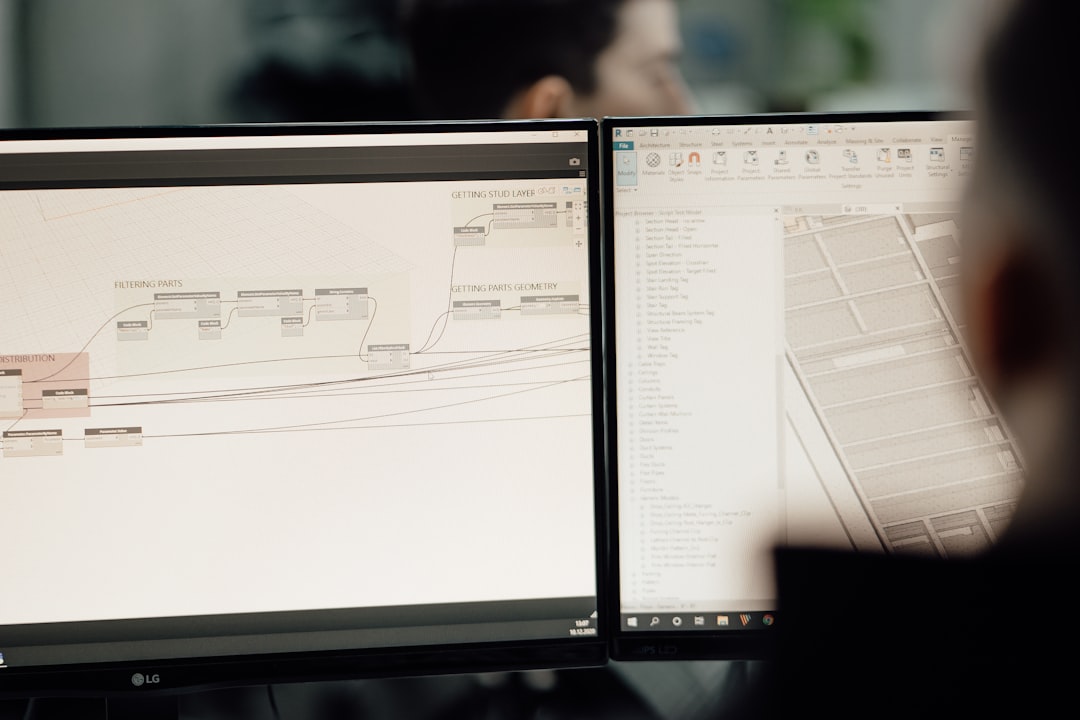
When you combine Gantt charts with mobile access, magic happens. Field workers can update progress instantly. Project managers can adjust schedules on the fly. Everyone sees changes in real time.
Now let’s look at the top apps that do this well.
1. Procore
Best for: Large construction teams and enterprise projects.
Procore is a big name in construction software. It offers advanced scheduling tools with interactive Gantt charts.
What makes it great:
- Real-time schedule updates
- Mobile app for iOS and Android
- Task dependencies and milestone tracking
- Integration with budgeting and document management
The mobile app is strong. Superintendents can check schedules on-site. They can upload photos. They can log updates immediately.
Procore is powerful. But it can feel complex for small teams. It works best for larger operations managing multiple projects.
2. Buildertrend
Best for: Home builders and remodelers.
Buildertrend is popular with residential contractors. It combines scheduling, budgeting, and client communication in one place.
Top features:
- Drag-and-drop Gantt charts
- Daily logs from mobile devices
- Automatic client updates
- Cloud-based access anywhere
The Gantt charts are simple. Easy to adjust. Easy to understand.
One nice touch is client access. Homeowners can see project timelines. That reduces emails and phone calls. Everyone stays informed.
3. Smartsheet
Best for: Teams that want flexibility and customization.
Smartsheet is not built only for construction. But many contractors love it. Why? Because it is flexible.
You can create detailed Gantt charts. You can automate workflows. You can build custom dashboards.
Key advantages:
- Spreadsheet-style interface
- Powerful task automation
- Strong mobile functionality
- Easy sharing with stakeholders
It feels familiar. Like a smarter spreadsheet. But much more powerful.
Smartsheet works well for growing companies that want customization without investing in heavy enterprise software.
4. Microsoft Project
Best for: Detailed project planning and experienced schedulers.
Microsoft Project has been around for years. It is known for detailed scheduling tools.
The Gantt charts are advanced. You can create deep task dependencies. You can manage complex timelines.
Features include:
- Critical path analysis
- Resource allocation tools
- Cloud-based version with mobile access
- Integration with Microsoft 365
It does have a learning curve. Beginners may find it overwhelming.
But for experienced project managers, it offers serious control over construction schedules.

5. Monday.com
Best for: Visual planners who want simplicity.
Monday.com focuses on clean design. It makes project tracking feel less intimidating.
You can switch to a Gantt view easily. You can move tasks with drag and drop. Updates sync across devices.
Why teams like it:
- Modern interface
- Strong mobile app
- Color-coded timelines
- Easy collaboration features
It may not have deep construction-specific tools. But it excels at keeping teams aligned.
Small to mid-sized contractors often prefer its simplicity.
6. Fieldwire
Best for: Field-first construction scheduling.
Fieldwire focuses on job site coordination. It is built specifically for construction crews.
The app shines in the field.
Standout features:
- Mobile-first design
- Task scheduling with Gantt views
- Plan viewing and markup tools
- Offline access for remote job sites
Offline access is a big deal. Not every job site has strong internet.
Teams can update tasks. Then sync later. No lost progress.
Quick Comparison Chart
| App | Best For | Mobile Access | Ease of Use | Construction Focus |
|---|---|---|---|---|
| Procore | Large enterprises | Excellent | Moderate | Strong |
| Buildertrend | Home builders | Excellent | Easy | Strong |
| Smartsheet | Flexible teams | Strong | Moderate | Medium |
| Microsoft Project | Advanced planners | Good | Challenging | Medium |
| Monday.com | Visual teams | Strong | Very Easy | Light |
| Fieldwire | Field crews | Excellent | Easy | Strong |
How to Choose the Right App
Not every construction company needs enterprise software. And not every small team should rely on spreadsheets.
Ask yourself a few simple questions:
- How large are your projects?
- How many team members need access?
- Do you need budgeting and document tools built in?
- Will crews update tasks daily from the field?
- Do you work in areas with weak internet?
If you manage multi-million-dollar builds, Procore might be ideal.
If you remodel kitchens and bathrooms, Buildertrend could be perfect.
If your crews work in remote areas, Fieldwire’s offline mode may save the day.
Benefits of Mobile Scheduling in Construction
Mobile access changes everything.
Here’s why:
- Instant Updates: No waiting until the end of the day.
- Fewer Mistakes: Everyone sees the same schedule.
- Better Communication: Office and field stay connected.
- Faster Decisions: Managers react quickly to delays.
- Higher Accountability: Tasks are clearly assigned.
A paper schedule posted in a trailer gets outdated quickly. A mobile app updates in seconds.
That speed reduces costly delays.
Common Mistakes to Avoid
Even the best app will not fix poor planning.
Avoid these common mistakes:
- Not defining task dependencies clearly
- Failing to update schedules daily
- Overcomplicating timelines
- Not training your team on the app
- Ignoring mobile features
Keep it simple.
Your schedule should guide your team. Not confuse them.
Final Thoughts
Construction scheduling does not have to feel overwhelming.
With the right app, you get clarity. You get structure. You get control.
Gantt charts help you visualize the entire project. Mobile access keeps everyone aligned. Together, they reduce delays and improve teamwork.
Whether you choose Procore for power, Buildertrend for residential builds, or Fieldwire for field efficiency, the goal is the same: stay organized and finish on time.
Because in construction, time truly is money.
And the right scheduling app helps you protect both.