Voice assistant apps have transformed the way we interact with technology. What once felt futuristic—talking to your phone or speaker and getting instant results—is now part of everyday life. From scheduling meetings to controlling smart homes, voice assistants help streamline daily routines, reduce screen time, and make multitasking easier than ever. As artificial intelligence continues to evolve, these hands-free tools are becoming smarter, faster, and more personalized.
TLDR: Voice assistant apps can dramatically speed up daily tasks by enabling hands-free control of your devices, schedules, and smart home systems. The top five—Google Assistant, Apple Siri, Amazon Alexa, Microsoft Copilot, and Samsung Bixby—each excel in different areas such as ecosystem integration, productivity, and smart home control. Choosing the right one depends on your devices and personal workflow. Below, we break down their strengths and help you decide which fits your lifestyle best.
Below are the top five voice assistant apps that make daily tasks faster and more convenient—along with a comparison chart to help you evaluate them at a glance.
1. Google Assistant
Google Assistant consistently ranks among the most powerful and versatile voice assistants available today. Designed to work seamlessly across Android devices, smart speakers, smart displays, and even iOS devices, it excels in understanding natural language and delivering precise answers.
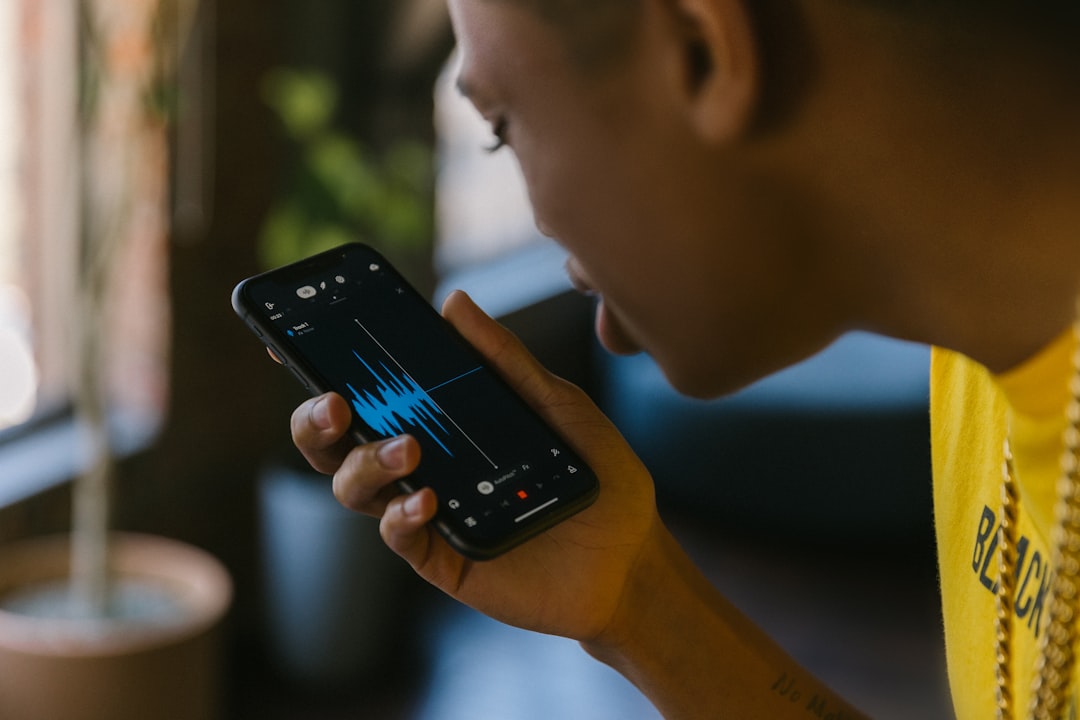
Key Strengths:
- Advanced search intelligence: Backed by Google’s search engine.
- Context awareness: Remembers previous questions for follow-up queries.
- Smart home integration: Works with thousands of devices.
- Real-time translation: Ideal for travelers and multilingual households.
Why it’s fast: Google Assistant processes voice commands with exceptional speed and accuracy. You can say, “Remind me to call Alex when I get home,” and it uses GPS data to trigger a location-based reminder automatically.
It’s particularly useful for:
- Managing daily schedules
- Getting commute updates
- Sending quick voice texts
- Automating home lighting and temperature
If you rely heavily on Google services like Gmail, Google Calendar, and Google Maps, this assistant feels almost like a personal operations manager.
2. Apple Siri
Siri has evolved significantly since its debut and is now deeply integrated into the Apple ecosystem. For users who own an iPhone, iPad, MacBook, Apple Watch, or HomePod, Siri offers seamless synchronization across devices.
Key Strengths:
- Deep Apple ecosystem integration
- Strong privacy protections
- Hands-free shortcuts automation
- On-device processing for faster responses
With Siri, you can say:
- “Hey Siri, text Mom I’m on my way.”
- “Set a 20-minute workout timer.”
- “Turn off bedroom lights.”
Why it’s fast: Siri’s integration with iOS allows it to execute commands instantly without requiring third-party apps in many cases. Creating custom Shortcuts enables users to automate multiple actions with one phrase—like starting a playlist, sending a message, and activating “Do Not Disturb” all at once.
For those embedded in Apple’s ecosystem, Siri offers unmatched smoothness and reliability.
3. Amazon Alexa
Alexa is a leader in smart home functionality. Found in Echo smart speakers and compatible with thousands of third-party devices, Alexa shines when it comes to home automation and task organization.

Key Strengths:
- Extensive smart home compatibility
- Customizable routines
- Thousands of third-party skills
- Shopping and delivery integration
Alexa makes daily tasks faster by enabling structured routines. For instance:
- “Alexa, start my day” can turn on lights, read news headlines, and start your coffee machine.
- “Add milk to my shopping list” updates your grocery list instantly.
Why it’s fast: Alexa routines reduce multiple actions into a single command. Instead of controlling lights, thermostat, and locks individually, one phrase handles everything.
While it may not always match Google Assistant’s depth in answering complex questions, Alexa excels in practical, everyday automation—especially in multi-device households.
4. Microsoft Copilot (Voice Integration)
Microsoft’s AI-powered Copilot has expanded into voice capabilities, particularly within Windows devices and Microsoft 365 applications. While not traditionally viewed as a home assistant, it is incredibly powerful for productivity tasks.
Key Strengths:
- Workplace productivity enhancement
- Email drafting and summarization
- Calendar management
- Document creation assistance
Imagine saying:
- “Summarize today’s emails.”
- “Schedule a project review with the marketing team next Thursday.”
- “Create a presentation outline for a sales pitch.”
Why it’s fast: Instead of manually typing, formatting, and organizing tasks, Copilot converts voice input into structured documents and actionable workflows.
For professionals and remote workers, this assistant can cut hours from weekly administrative work, making it an invaluable productivity booster rather than just a convenience tool.
5. Samsung Bixby
Bixby is Samsung’s native voice assistant, integrated into Samsung smartphones, tablets, TVs, and smart appliances. While sometimes overlooked, it provides powerful device-specific controls.
Key Strengths:
- Deep Samsung device integration
- Bixby Routines automation
- Camera-based visual recognition
- Offline command capabilities

Bixby excels at controlling phone settings:
- “Turn on blue light filter.”
- “Switch to power-saving mode.”
- “Open camera in portrait mode.”
Why it’s fast: Bixby can manipulate detailed device settings with precision, eliminating the need to navigate deep menu systems manually.
If you are a Samsung power user, Bixby adds a level of hands-free efficiency that’s hard to ignore.
Comparison Chart: Top Voice Assistant Apps
| Assistant | Best For | Smart Home Control | Productivity Features | Ecosystem Integration |
|---|---|---|---|---|
| Google Assistant | Search & multitasking | Excellent | Strong | Google & Android |
| Apple Siri | Apple users | Very Good | Good | Apple ecosystem |
| Amazon Alexa | Home automation | Outstanding | Moderate | Wide third-party support |
| Microsoft Copilot | Work productivity | Limited | Excellent | Microsoft 365 & Windows |
| Samsung Bixby | Samsung devices | Good | Moderate | Samsung ecosystem |
How Voice Assistants Save Time Daily
Across platforms, voice assistants eliminate friction in five key areas:
- Communication: Send texts and make calls without typing.
- Scheduling: Add appointments instantly.
- Navigation: Get real-time traffic updates hands-free.
- Home Control: Adjust lighting, locks, and temperature.
- Information Access: Get instant answers to questions.
Instead of unlocking your phone, opening apps, and typing, you simply speak. Over weeks and months, those saved seconds compound into hours.
Choosing the Right Voice Assistant
The best voice assistant isn’t necessarily the most powerful—it’s the one that aligns with your devices and daily habits.
- If you live in Google apps → Google Assistant
- If you rely on Apple devices → Siri
- If your home is fully automated → Alexa
- If you work heavily in Microsoft 365 → Copilot
- If you use Samsung products extensively → Bixby
Consider privacy preferences, device compatibility, and whether your focus is home automation or productivity.
Final Thoughts
Voice assistant apps are no longer novelty tools—they’re digital productivity partners. Whether you’re managing a busy household, commuting daily, or juggling back-to-back meetings, these hands-free solutions reduce mental load and speed up routine actions.
As artificial intelligence advances, expect even more personalized experiences, better contextual understanding, and smoother integrations across devices. The future of computing is increasingly voice-driven—and choosing the right assistant today can make every tomorrow just a little bit more efficient.
The real power of voice assistants lies not just in what they can do—but in how effortlessly they fit into your life.