Your website is the front window of your eye care clinic. It works before your staff answers the phone. It works after your doors close. A great optician website helps people feel calm, safe, and ready to book an eye exam.
TLDR: A strong optician website should be clear, friendly, fast, and easy to use. Patients should find services, prices, location, and booking buttons without hunting. Use warm photos, simple text, mobile friendly pages, and trust signals. Make the whole site feel like a helpful guide, not a confusing maze.
Why Your Optician Website Matters
People do not choose eye care clinics by magic. They search. They compare. They click. Then they judge your clinic in seconds.
If your website feels old, slow, or messy, people may leave. Even if your clinic is amazing. Even if your team is wonderful. The website still shapes the first impression.
A good website says, “You are in the right place.” It shows that your clinic is professional. It also shows that your team is kind. That matters a lot in health care.
Eye care can feel scary for some people. They may worry about blurry vision. They may need new glasses. They may have a child who needs a first eye exam. Your website should make them feel at ease.
Start With Clear Goals
Before you design anything, ask one simple question. What should visitors do?
Common goals for an optician website include:
- Book an eye exam.
- Call the clinic.
- Find opening hours.
- Get directions.
- Learn about glasses and lenses.
- Check insurance or payment options.
- Meet the optician or eye care team.
Each page should support one main goal. Do not crowd every page with every message. That is like putting every frame in the shop window at once. It gets noisy fast.
Keep the path simple. A visitor lands on the site. They understand what you offer. They trust you. They book. Nice and easy.
Make Booking Super Easy
Your booking button is the star of the show. It should be easy to see. It should be on every main page. It should use simple words.
Good button text includes:
- Book an Eye Exam
- Schedule Appointment
- Call Our Clinic
- Find a Time
Avoid vague buttons like “Submit” or “Continue.” They sound cold. They also make people think too much.
If you offer online booking, make it smooth. Ask only for the details you need. Name. Phone. Email. Preferred time. Reason for visit. That is enough for many clinics.
If you do not offer online booking yet, make phone booking simple. Put your phone number in the header. Add it near the footer too. On mobile, the number should be tap to call.
Use a Clean and Calm Layout
Eye care websites should not feel like a circus. Fun is good. Chaos is not.
Use lots of white space. This gives the design room to breathe. It also helps people focus. A clean layout feels more medical, more modern, and more trustworthy.
Group information into small sections. Use short headings. Use short paragraphs. Your visitors are busy. Some may be reading with tired eyes. Be kind to them.
A strong homepage usually includes:
- A clear hero section with your main message.
- A visible booking button.
- Your main services.
- A short note about your team.
- Reviews or testimonials.
- Insurance or payment details.
- Location, hours, and contact details.
This structure works because it answers questions in the right order. What do you do? Can I trust you? How do I book? Where are you?
Pick Colors That Feel Trustworthy
Color is not just decoration. It sends a message.
For eye care clinics, great color choices often include blue, green, white, soft gray, and warm beige. Blue feels calm and medical. Green feels fresh and healthy. White feels clean. Beige feels warm and human.
You can add a brighter accent color for buttons. This helps the booking button pop. Just do not use five bright colors at once. Your website is not a box of crayons.
Keep contrast high. Text should be easy to read. Light gray text on white may look fancy, but it can be hard to see. Dark text on a light background is usually best.
Choose Fonts That Are Easy on the Eyes
This may sound obvious, but it matters. An eye clinic website must be easy to read.
Use simple fonts. Avoid tiny text. Avoid super thin lettering. Avoid fancy scripts for important details. They may look stylish, but they can hurt readability.
Use bigger text for older visitors. Many eye care patients are seniors. Many are also viewing your site because they already have vision issues. Make life easier for them.
A good rule is simple. If your text makes people squint, fix it.
Show Real Photos When You Can
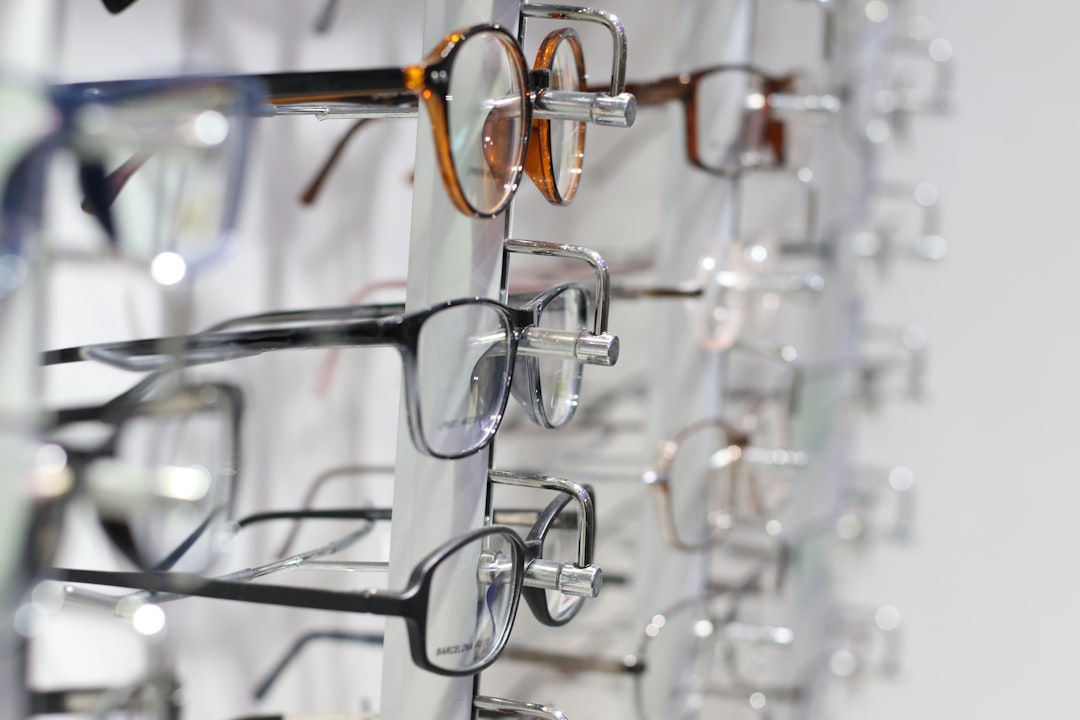
Photos help people feel connected. Real photos are best. Show your clinic. Show your reception area. Show your exam room. Show your displays. Show your friendly team.
This makes the visit feel less unknown. A parent can see where their child will go. A nervous patient can see a calm space. A fashion focused visitor can see your frame selection.
If you use stock photos, choose them carefully. Avoid images that feel too fake. No one believes a group of models is laughing at an eye chart like it told the best joke ever.
Image not found in postmetaExplain Your Services in Plain Language
Do not make patients decode medical terms. Keep your service pages simple.
Instead of only saying “comprehensive ocular assessment,” say “complete eye exam.” Then explain what it includes.
Your service pages may include:
- Eye exams for adults.
- Children’s eye exams.
- Contact lens fittings.
- Prescription glasses.
- Designer frames.
- Lens options.
- Dry eye support.
- Emergency eye care.
- Vision tests for drivers.
For each service, answer simple questions:
- Who is it for?
- What happens during the visit?
- How long does it take?
- How should the patient prepare?
- How can they book?
This helps visitors feel informed. It also reduces phone calls about basic details.
Make It Mobile Friendly
Many people will visit your website on a phone. They may be walking. They may be on lunch break. They may be searching while their child says, “I can’t see the board.”
Your mobile site must work beautifully.
Check these things:
- Buttons are large enough to tap.
- Text is easy to read without zooming.
- The menu is simple.
- The phone number is tap to call.
- The address opens in maps.
- Forms are short.
- Pages load fast.
A bad mobile site can lose patients fast. They will not pinch, zoom, and fight with a tiny menu. They will just go back to search results.
Speed Is Part of Good Service
A slow website feels annoying. It also feels less professional. People expect pages to load quickly.
Large images are a common cause of slow sites. Compress your photos. Use modern image formats when possible. Do not upload a giant photo straight from a camera and hope for the best.
Keep your design light. Fancy effects can look cool, but too many can slow things down. A smooth, fast site is better than a flashy site that moves like a sleepy turtle.
Build Trust With Reviews and Credentials
Eye care is personal. Visitors want proof that they are choosing a safe clinic.
Add trust signals across your website. These can include:
- Patient reviews.
- Years in business.
- Team qualifications.
- Professional memberships.
- Photos of your staff.
- Clear clinic policies.
- Before and after stories, if suitable.
Reviews are very powerful. Add a few short testimonials to the homepage. Place more on a review page. Keep them real. Keep them specific.
A review like “The team helped me choose glasses that fit my face and budget” is better than “Great place.” Details build trust.
Make Your Location Easy to Find
Your clinic is local. So your website should be local too.
Show your address clearly. Add a map. List parking details. Mention nearby landmarks. Say if you are close to public transport. These small details reduce stress.
Your footer should include:
- Clinic name.
- Full address.
- Phone number.
- Email address.
- Opening hours.
- Links to important pages.
Also create a strong contact page. It should not be a mystery room. It should include every way to reach you.

Use Search Engine Basics
Good design helps humans. Good search engine structure helps humans find you.
Use page titles that match what people search for. For example, “Eye Exams in Brighton” is clearer than “Services.”
Add local keywords in natural places. Use your city, neighborhood, and service names. Do not stuff words everywhere. That sounds odd. Search engines do not need a word salad.
Helpful pages for search include:
- Eye exams in your city.
- Contact lens fitting page.
- Children’s eye care page.
- Glasses and frames page.
- Insurance and payment page.
- Frequently asked questions page.
Write for people first. Search engines follow useful content.
Add a Friendly FAQ Page
An FAQ page is a tiny customer service hero. It answers common questions at any time of day.
Good FAQ questions include:
- How often should I get an eye exam?
- Do you accept walk ins?
- Do you offer children’s eye exams?
- Can I bring my own prescription?
- How long does it take to get new glasses?
- Do you accept my insurance?
- What should I bring to my appointment?
Use short answers. Link to service pages when helpful. Keep the tone warm.
Think About Accessibility
Accessibility is very important for an optician website. Many visitors may have low vision, color blindness, or other visual needs.
Make the site easier for everyone by using:
- High contrast text.
- Clear font sizes.
- Alt text for images.
- Keyboard friendly navigation.
- Descriptive link text.
- Labels on forms.
- Simple page layouts.
Do not rely on color alone. For example, do not show errors only in red. Add text too. A message like “Please enter your phone number” is clear.
Accessibility is not just a technical task. It is good care.
Keep Forms Short and Sweet
Forms can scare people away. Long forms feel like homework. Nobody wants homework before an eye exam.
Ask for only what you need. If a form has ten fields, there should be a strong reason. Use clear labels. Show a friendly success message after submission.
A good message might say: “Thanks. We received your request. Our team will contact you soon to confirm your appointment.”
That is simple. That is kind. That works.
Show Your Frames and Style
Optician websites are not only medical. They are also about style. Glasses are health tools, yes. But they are also fashion. People want to look good.
Create a page for frames. Show your brands if you carry them. Show different styles. Mention options for kids, sports, office work, and daily wear.
You can also add simple guides. For example:
- How to choose frames for your face shape.
- When to choose lightweight frames.
- Benefits of anti glare lenses.
- Tips for kids’ glasses.
- How to care for your glasses.
This content is helpful. It also makes your clinic feel like an expert guide.
Keep the Tone Human
Medical websites can sound stiff. Try not to write like a robot in a white coat.
Use friendly words. Say “We can help” instead of “Patients may be assisted.” Say “Book your visit” instead of “Proceed with appointment allocation.”
Your website should sound like your best staff member. Warm. Clear. Helpful. Never pushy.
Update the Website Often
A website is not a poster. It should not sit untouched for years.
Update your website when:
- Your hours change.
- You add a new service.
- You hire a new team member.
- You accept new insurance options.
- You add new frame collections.
- You run a seasonal promotion.
Old information creates frustration. If your site says you close at 6, but you now close at 5, someone may show up angry. That is not fun for anyone.
Final Thoughts
A great optician website does not need to be complicated. It needs to be clear. It needs to be fast. It needs to feel safe and friendly.
Focus on the patient journey. Help people find answers. Help them trust your clinic. Help them book without stress.
Think of your website like a perfect pair of glasses. It should fit well. It should look good. Most of all, it should help people see what matters.